Changelog
What's new in Reqad
Reqad is under active development. Here are recent highlights - currently at v1.0.44.
October 2026
- Backup exclusions - a new Exclusions tab on the Backup page decides what backups leave out: caches and
node_modulesthat can be rebuilt, backup plugins' own copies, old archives, or a network share mounted in the home directory. See the documentation. - Three server-wide switches: skip folders holding a
.nobackupfile (account users can set it over SFTP, without the panel), skip filesystems mounted inside a home directory (read from the mount table and never walked, so an unreachable sshfs or NFS share cannot stall the backup) and skip folders marked withCACHEDIR.TAG. - Per-account rules with gitignore-style patterns (
public_html/cache,**/wp-content/cache,*.log) or a whole database, each applying to the nightly backup, manual backups or both - for example, leave a large media folder out of the nightly run but keep it in a manual copy. - Calculate sizes shows how much each rule matches right now and roughly how much the nightly and the manual backup leave out; Find things to exclude suggests
node_modules, WordPress page caches, UpdraftPlus, All-in-One WP Migration, Duplicator and WPvivid folders, large archives and dumps,error_logfiles and core dumps, each added with one click. An existingcpbackup-exclude.confcan be imported as rules. - Restores know what was left out - every archive lists its exclusions in
excludes.txt, the restore ends with that list, mount points come back as empty folders, excluded databases are created empty with their users and grants, and the account's own rules come back with it. Tick Ignore exclusions (full copy) for a manual backup of everything. - Fix: the old rule that kept mail out of website backups also dropped any folder named
mailinside the website, such aspublic_html/mail. Exclusion rules now only ever match from the account's home directory.
September 2026
- WordPress Toolkit - every site gets its own page: click Manage for an overview (WordPress version flagged latest, outdated or insecure; PHP version, active theme, plugins with pending updates, disk usage, SSL status) next to a screenshot of the home page, plus Log in to wp-admin without a password. See the documentation.
- PageSpeed scores for each WordPress site - Google PageSpeed Insights runs for mobile and desktop at once and shows performance, accessibility, best practices and SEO, plus FCP, LCP, TBT, CLS and Speed Index. Needs a free API key in Settings; the test also supplies the site screenshot, so servers without a browser get one too.
- Performance switches, applied live - nginx page cache, a real system cron instead of WP-Cron (now logged to
~/logs/cron.log), search engine indexing on/off for staging copies, and a maintenance mode that answers HTTP 503 while you keep working on the site. - WordPress security in one click - 17 measures in three groups: web server rules (block xmlrpc.php, wp-config.php, sensitive and backup files and author scans; no PHP in wp-includes, uploads or cache directories; security headers; aggressive crawlers), WordPress settings (hide the version, disable dashboard file editing and script concatenation, turn off pingbacks, move the login page) and files and keys (strong salts, tight permissions). Select recommended then Apply changes; unticking reverts.
- Restrict WordPress login to your IPs - only the addresses you list can reach
wp-login.phpand the core update screens; the server itself is always allowed so updates keep working, and password-protected posts still open for everyone. - Custom error pages for every site - clean 403, 404, 500, 502, 503 and 504 pages in light and dark that do not name the web server. WordPress keeps its own 404 and maintenance pages, and blocked files answer 404 so they look missing rather than protected.
- Fix: on nginx, PHP files inside
wp-content/uploadscould still be executed - the vhost's deny rule sat after the PHP handler and never matched. New vhosts are generated correctly and existing ones are corrected automatically when Reqad updates. - Fix: Disable WP cron no longer reports success when PHP cannot start; and PHP Settings now refuses an OPcache interned-strings buffer as large as the OPcache memory itself, a combination that stops PHP from starting at all.
- ClamAV antivirus for inbound mail - install it on any server with one command (
curl -sL https://repo.reqad.net/install-clamav.sh | bash): the scanning engine, the systemd services and configuration, the signature feeds and the first database download. Scanning stays off until you switch it on, so nothing about your mail flow changes until you decide it should. - Curated third-party signature feeds - stock antivirus signatures are strong on known binaries and weak on what actually arrives by mail, so Reqad adds Sanesecurity (phishing, scam and 419 bodies, malicious Office macros, bad URLs), Foxhole (matches on what is inside an archive, so a ZIP holding
invoice.pdf.exeis caught on the pattern rather than waiting for a signature to exist) and URLhaus from abuse.ch. Each database is GPG-verified against its publisher's own key before it is installed. - Tag first, reject later - virus scanning starts in tag-only mode: every message gets
X-Virus-Statusheaders and a line in the mail log, for clean mail as well as infected, and nothing is rejected. Watch real traffic, then switch to rejecting infected mail with one click once you know the false-positive rate. - ClamAV card on the Email page - engine version, total signature count, how long ago the database was updated, every extra signature database currently loaded, and whether the mail server is actually wired to the scanner.
- Addon domains - host several sites under one hosting account. Each addon domain gets its own document root, its own vhost and its own PHP-FPM pool, so it can run a different PHP version than the account's main domain (an old site on PHP 7.4 next to a current one on PHP 8.3, a staging subdomain, a second project for the same customer).
- New Addon Domains page under Accounts & Domains: every addon domain with its account, document root and PHP version, and one click to switch its PHP version and handler or to remove it - optionally with its files. Enable it with
addon_domains=1inserver-software.ini. - Addon domains are created on the server with
scripts/adddomainand removed withscripts/deldomain, on both nginx and Apache; the new configuration is validated before it goes live and rolled back if the web server rejects it. See the documentation.
August 2026
- Email overview - a single page for the whole mail stack: mailbox, forwarder, autoresponder and queue counts, plus exim, dovecot and Roundcube versions, service state and enabled webmail plugins.
- Mail queue manager - inspect a queued message, force delivery, freeze, thaw or delete it, one at a time or in bulk, with the delivery log streamed live. Search by sender or recipient, filter to frozen mail, and page through large queues.
- Exim and Dovecot settings in the browser - TLS versions and ciphers, message size and connection limits, banner and logging, queue behaviour and DNS blocklists, plus a raw config editor with version history. Every change is syntax-checked before it is written and rolled back automatically if the mail server rejects it.
- Webmail auto-login - open any mailbox in Roundcube straight from the Email Accounts list, without knowing the user's password.
- Full-text mail search - Dovecot 2.4 flatcurve (Xapian) indexing, so webmail searches whole messages instantly with no extra service to run.
- Browser terminal now ships prebuilt as its own package, with self-hosted JetBrains Mono for a sharper console.
- WordPress scan and Dovecot migration fixes.
July 2026
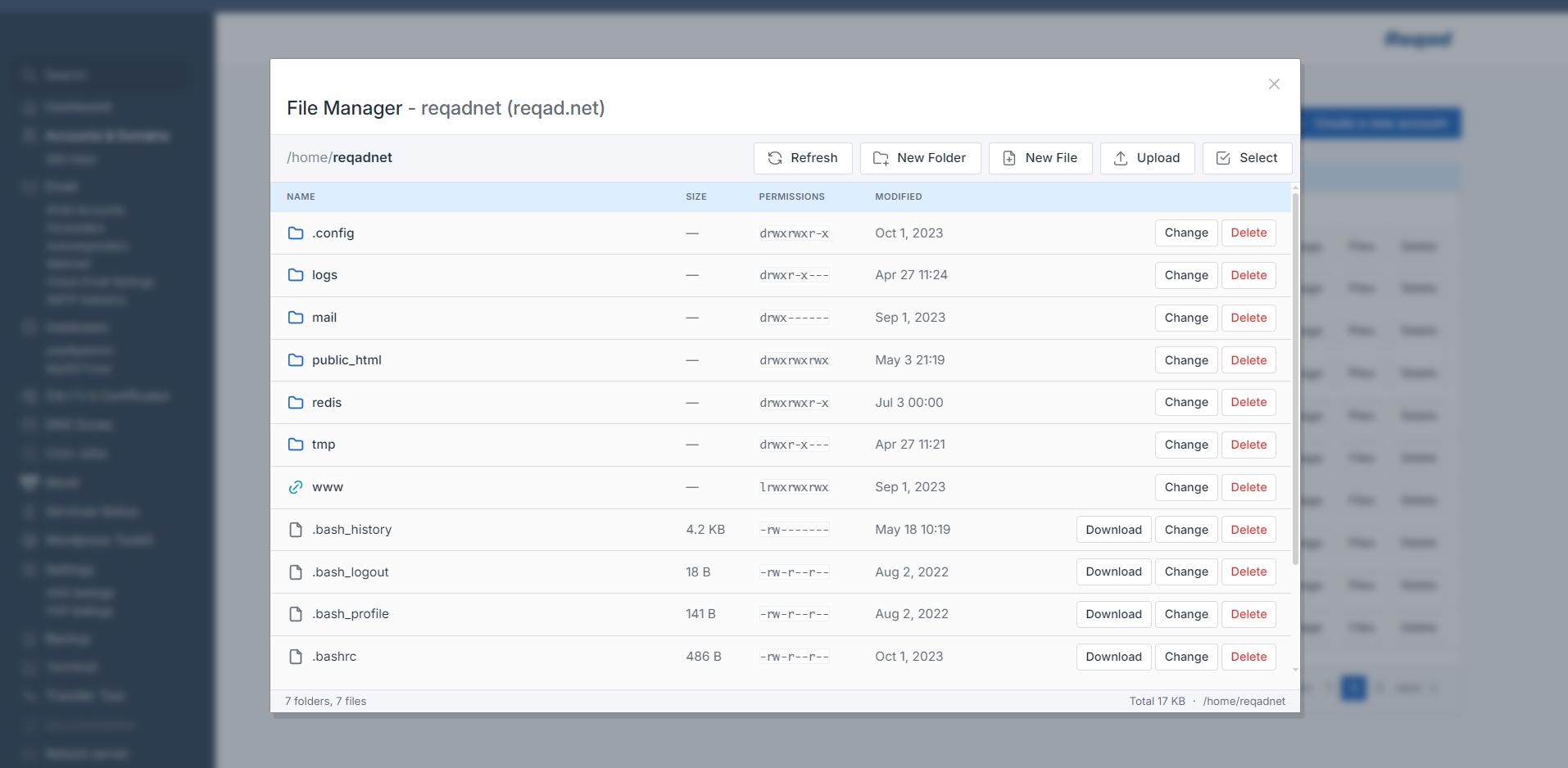
- Account-level file manager in the Accounts list — browse, upload, download, edit, chmod and delete files for any account.
- Breadcrumb navigation with symlink awareness; size, octal permissions and modification time shown per entry.
- Bulk operations: create, rename, move, chmod (owner/group/other grid), delete files or whole folders.
- Built-in CodeMirror editor for text files under 100 KB — PHP, JS, CSS, HTML, Python, shell and SQL.
- Compress selections to .zip / .tar.gz; extract uploaded archives into a target folder. All operations run as the account's own user and are jailed to the account's home.
- Domain aliases - a new per-account Advanced settings page where extra domains (including wildcards) share the main document root, with optional DNS records created for you.
- Alias and wildcard SSL - aliases and
mail.hostnames are folded into the Let's Encrypt certificate automatically; wildcard domains are issued over DNS-01 and renew unattended. - Advanced config editor - edit an account's nginx/Apache vhost and PHP-FPM pool in the browser; every save is test-validated before it is applied, reverted if it fails, and kept in a 5-deep version history.
- Backups split into Website, Email and Databases bundles, with the DNS zone exported and re-applied on restore; restores now run in the background with live status.
- Plugin system - add-ons drop into the panel and register their own page and menu entry. First one out: a WireGuard VPN peer manager.
- Per-user browser terminal - pick which account to open a shell for, no longer root-only.
- One-command installer for EL8 and EL9 with a terminal UI for web server, PHP version, mail stack, SSH port and timezone - or fully unattended with options.
June 2026
- Upgraded to Dovecot 2.4 and Roundcube 1.7.x.
- Dedicated, isolated PHP-FPM master for the panel itself - private php.ini, hardened and independent of hosted sites.
- PHP settings: recommended
disable_functions, OPcache and APCu tuning from the UI. - Section access control: disabled features now return a clean 403 instead of partially loading.
May 2026
- WordPress scanning across subfolders, with a path column and prepared statements.
- Apache template: per-account PHP version switching via hybrid PHP-FPM pools.
- cPanel transfer wizard: multi-step migration of domains, PHP version and databases.
- Accounts & email: search and re-pagination; faster dashboard caching.
April 2026
- One-click self-update from the dashboard with live output, surviving PHP-FPM restarts.
- Autoresponders: create/edit/delete with date ranges; DKIM-signed replies.
- Roundcube and phpMyAdmin auto-update scripts that preserve config and plugins.
- Per-account PHP-FPM hardening: open_basedir, disable_functions, isolated tmp/logs.
March 2026
- SSH access key management - add, delete and auto-convert SSH2 keys.
- PHP Modules tab: install/uninstall modules per version with live progress.
- Telemetry & update banner: know when a new version is available.
- Cron jobs: add/edit/delete for global and per-user schedules.
- Change database user passwords from the panel.
Late 2025
- exim & dovecot SNI for wildcard and multi-domain mail certificates.
- Per-account home size in GB/MB; PHP version detection and drop-downs.
- Full account backups; phpMyAdmin, Roundcube, monit and PowerDNS installers.
- DNS providers: Cloudflare, cPanel and PowerDNS.
Jan, 2024
- Version 1.0 for EL8 released.
2022
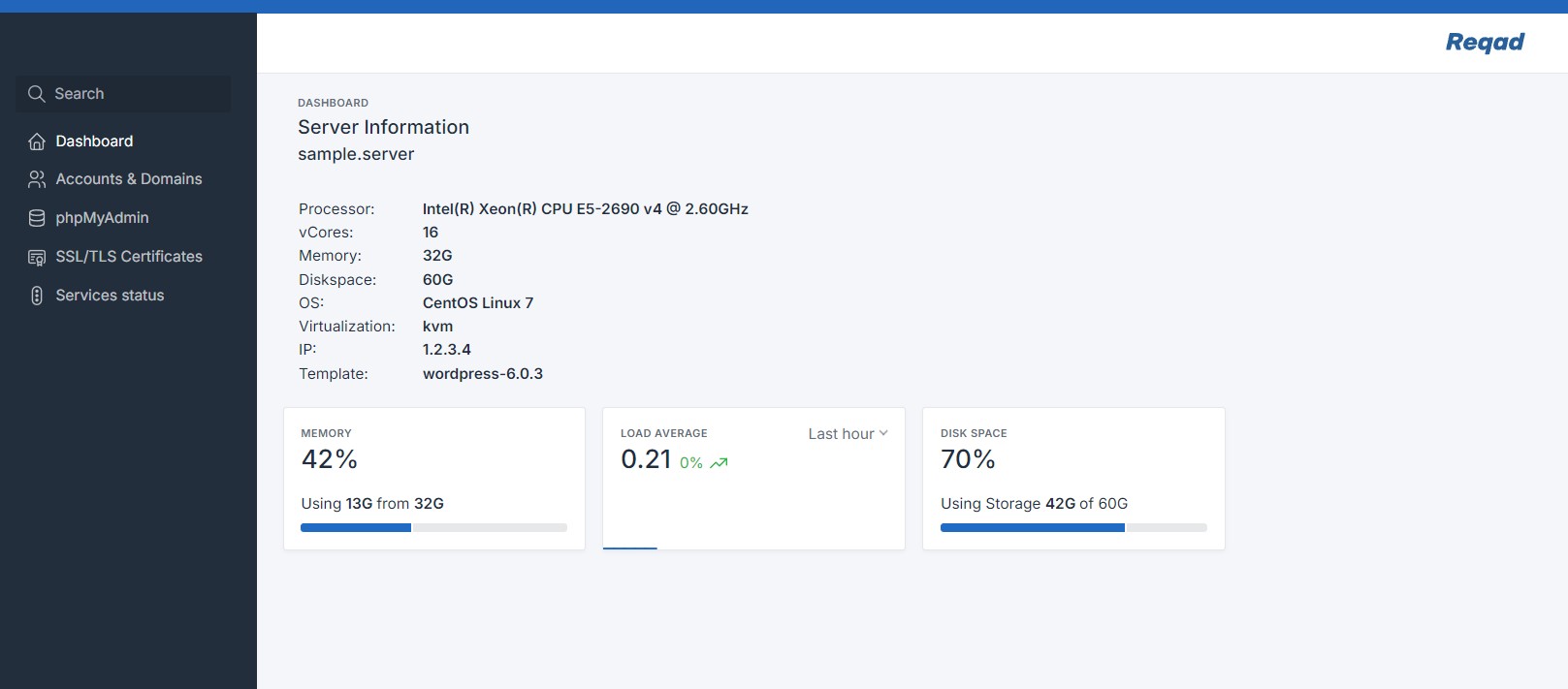
- Switched to the Tabler.io web UI (CentOS 7) - the dashboard Reqad still uses today.
2019
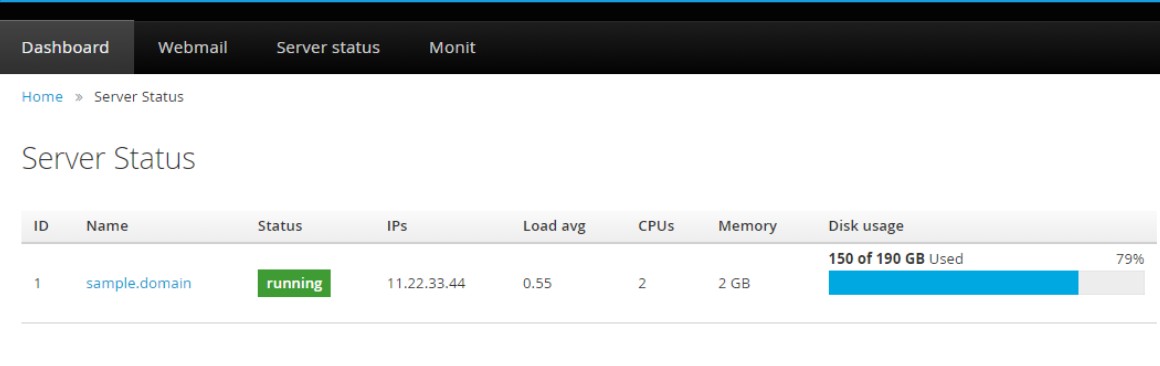
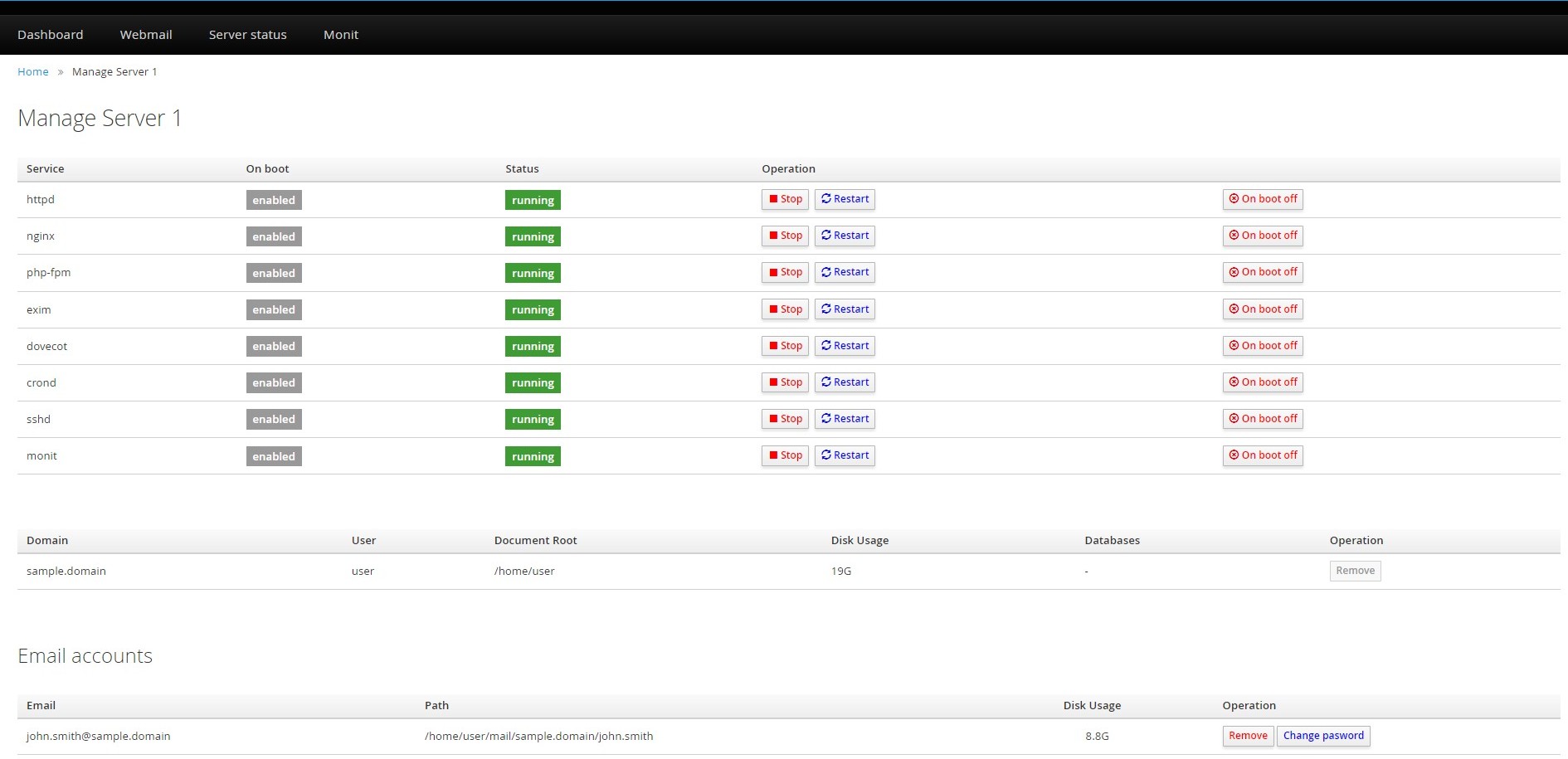
- First version - 0.x, for CentOS 6 and 7, using the PatternFly web UI.
Want the full history?
Every change is tracked in the project. Register to get release notes by email.