What you get
Limits that hold, without extra work
Set a package once. Reqad applies it to every account that has it, checks it whenever something is created, and keeps it in step every hour.
Hosting packages
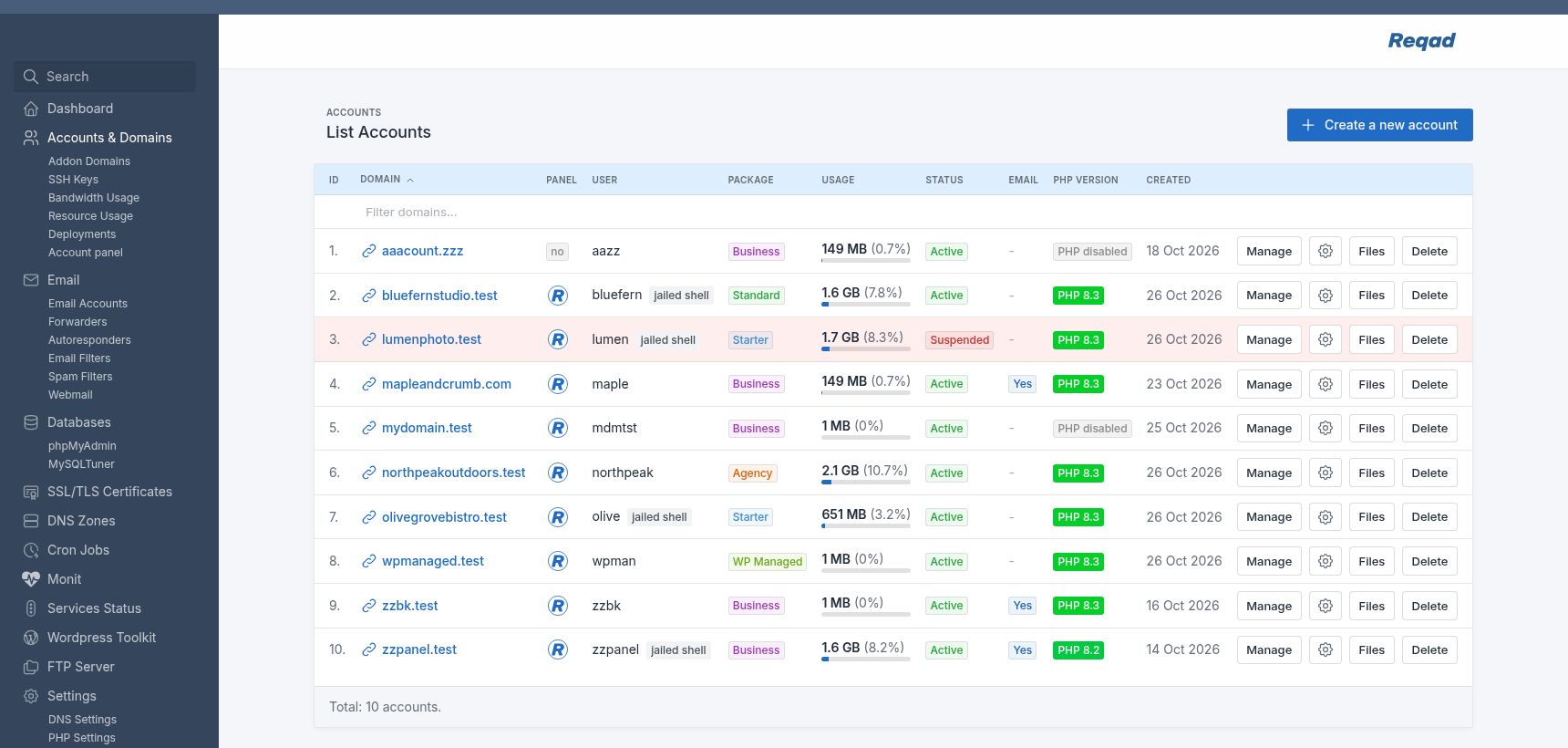
Named sets of limits and settings, such as Starter, Standard and Agency, each with its own color in the accounts list.
- Limits for mailboxes, databases, addon domains, subdomains and aliases
- Cron jobs, SSH keys, Git deployments and Node.js / Python apps
- 0 = none allowed, empty = unlimited
- Checked wherever something is created: panel, command line, API, AI assistants
- Over a limit, the account keeps what it has; only new items are refused, with the reason
- A default package for new accounts
Read the guide →
Disk quotas
The package's disk space is enforced by the filesystem itself.
- Counts every file the account owns: sites, mail and temporary files
- Turned on from the panel, on ext4 and XFS
- Each account's use against its limit in Accounts > Manage
- Needs attention warns at 90%
- Limits kept in step with the packages every hour
Read the guide →
Mailbox sizes
A size for each mailbox, from the package or set for one mailbox.
- A full mailbox refuses new mail while the sender is still connected, so your server sends no bounce
- Warning mails to the owner at 90% and when full
- Mail apps and webmail show how full the mailbox is
- Full mailboxes listed in Needs attention
Read the guide →
Monthly bandwidth
What the account's sites sent to visitors this month, counted every hour from the web server logs.
- A limit per package, in GB or TB
- Over the limit: warn only, slow the sites down, or suspend the account
- Lifted by itself on the 1st of the month, or at once when you raise the limit
- An email to you when an account is slowed down or suspended
- Every account against its limit on the Bandwidth Usage page
Read the guide →
Suspending accounts
One click in Accounts > Manage, with a reason for your records.
- Its sites show a short "This site is suspended" page
- SSH, SFTP, cron, the terminal and its mailboxes are refused
- Mail for it is still received, so nothing is lost
- Apps are stopped and started again when you lift it
- Files, databases and settings stay as they are
- Certificates keep renewing while it is suspended
Read the guide →
Fair use of the server
Settings a package applies to every account that has it.
- CPU, memory and process limits for SSH, cron and terminal sessions
- MySQL connections per database user
- Shell access: full, jailed (own home only) or none (SFTP only)
- Or leave each account's own setting
Read the guide →
Own IP addresses
Give an account an IPv4 and IPv6 address of its own, for all its sites and its outgoing mail.
- Works with routed addresses and behind NAT
- Reverse DNS checked before mail is sent from the address
- DNS records and SPF updated for you at Cloudflare, PowerDNS or a cPanel® server
- Send one domain's mail from another address, without moving its sites
- Kept apart from your provider's network setup; the admin panel is never offered on them
Read the guide →
Apache behind nginx
For sites written for Apache, which need their .htaccess files.
- nginx keeps the certificates and the static files
- Apache reads .htaccess: rewrites, redirects, password protection
- PHP stays in each account's own PHP-FPM pool
- Switch every site from the panel, and back
Read the guide →
Automate it
Everything in Hosting Pro also works without the panel.
- The reqad package, reqad ip and reqad account suspend commands
- REST API endpoints for packages, usage, suspension and IP addresses
- Tools for AI assistants (MCP), with deletes confirmed in a second step
- Connect your own billing or provisioning scripts
Read the guide →