WordPress Toolkit
Every WordPress site of the account, found by itself: in the main site, addon domains, subdomains and subfolders.
- One-click login to wp-admin, without the password
- Install WordPress with its own database, in the language you choose
- Updates in the background, with a database backup first
- Auto-updates per site; plugins and themes put back if the home page breaks
- Security measures in one click: block xmlrpc.php, no PHP in uploads, hidden login page and more
- Page cache, real cron, maintenance mode and empty all caches
Read the guide →
Staging & Push to live
Test updates and changes on a private copy, then send them back to the live site.
- Staging copy or clone as a new site, with its own database and certificate
- Staging sends no email, is not indexed and can be open only to your addresses
- Push to live: only the code and settings you pick
- The live database is never overwritten - new orders and comments are kept
- One click puts everything pushed back as it was
Read the guide →
Email
A full mail service for every domain of the account.
- Mailboxes, forwarders and autoresponders
- Filters for one mailbox or for every mailbox of a domain
- Spam protection settings
- Deliverability check of SPF, DKIM and DMARC, with a Fix button
- Delivery log of what was sent and received
- Webmail in one click and settings for mail apps
Read the guide →
Domains & SSL
Every site of the account, its names and its DNS.
- Addon domains and subdomains, each with its own folder
- Aliases and redirects (301 / 302)
- DNS zone editor for the account's own domains
- Mail provider of a domain: this server, Google Workspace, Microsoft 365, Zoho Mail or another one
- Free Let's Encrypt certificates
Read the guide →
Files
The account's home folder, from the browser.
- File manager with editor, upload, download, archives and permissions
- Disk usage: what takes up the space, folder by folder
- FTP users locked to one folder (with the FTP server add-on)
- Terminal in the browser, with a full or jailed shell
Read the guide →
Databases
MySQL / MariaDB databases and their users.
- Create databases and users, change passwords
- Give a user all privileges on a database, or none
- Remote access from chosen IP addresses
- phpMyAdmin without a password, with a login for that visit only
Read the guide →
PHP
The right PHP for each site.
- PHP version per site, main or addon domain
- PHP settings such as memory_limit and upload size, checked before they are applied
- The PHP error log of each site
Read the guide →
Backups
The nightly backups of the account, ready to use.
- Download a full backup of the account
- Put back files or folders, with the replaced ones kept aside
- Put back one database or one mailbox
- Restores run in the background
Read the guide →
Metrics
What the sites do and what they use.
- Visitors, page views and bandwidth per day and month
- Top pages, referrers, countries, bots and missing pages
- Each site's web server log, with Live view and grouped errors
- CPU, memory and processes against the account's limits
Read the guide →
Deploy & apps
For developers: deploy from Git and run apps.
- Deploy a site from a Git branch, on every push
- Releases you can roll back in one click
- Node.js and Python apps behind a domain
- Install packages, environment variables and logs
Read the guide →
Cron jobs
Scheduled tasks, set up without the command line.
- Run a command, a PHP script or a web address on a schedule
- Pause, edit or run a job now
- The output of its last runs
Read the guide →
Signing in & security
Each account keeps its own access safe.
- One password: the account's system password, so moved accounts keep theirs
- Two-factor authentication and passkeys
- Active sessions, with sign out for each
- SSH keys of the account
- Mail about sign-ins from a new browser
Read the guide →
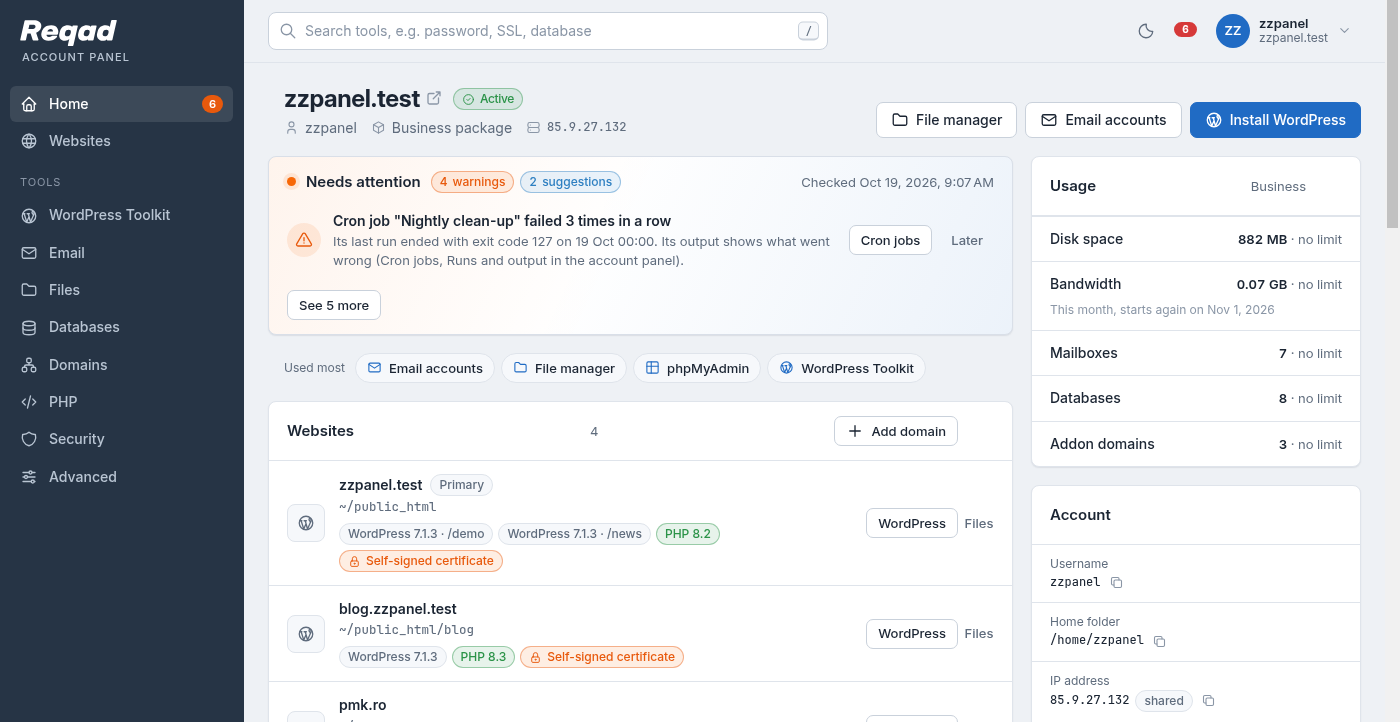
Plus a Home page with the account's websites, usage and a search over every tool, light and dark themes, and a QR code that opens the panel on a phone.