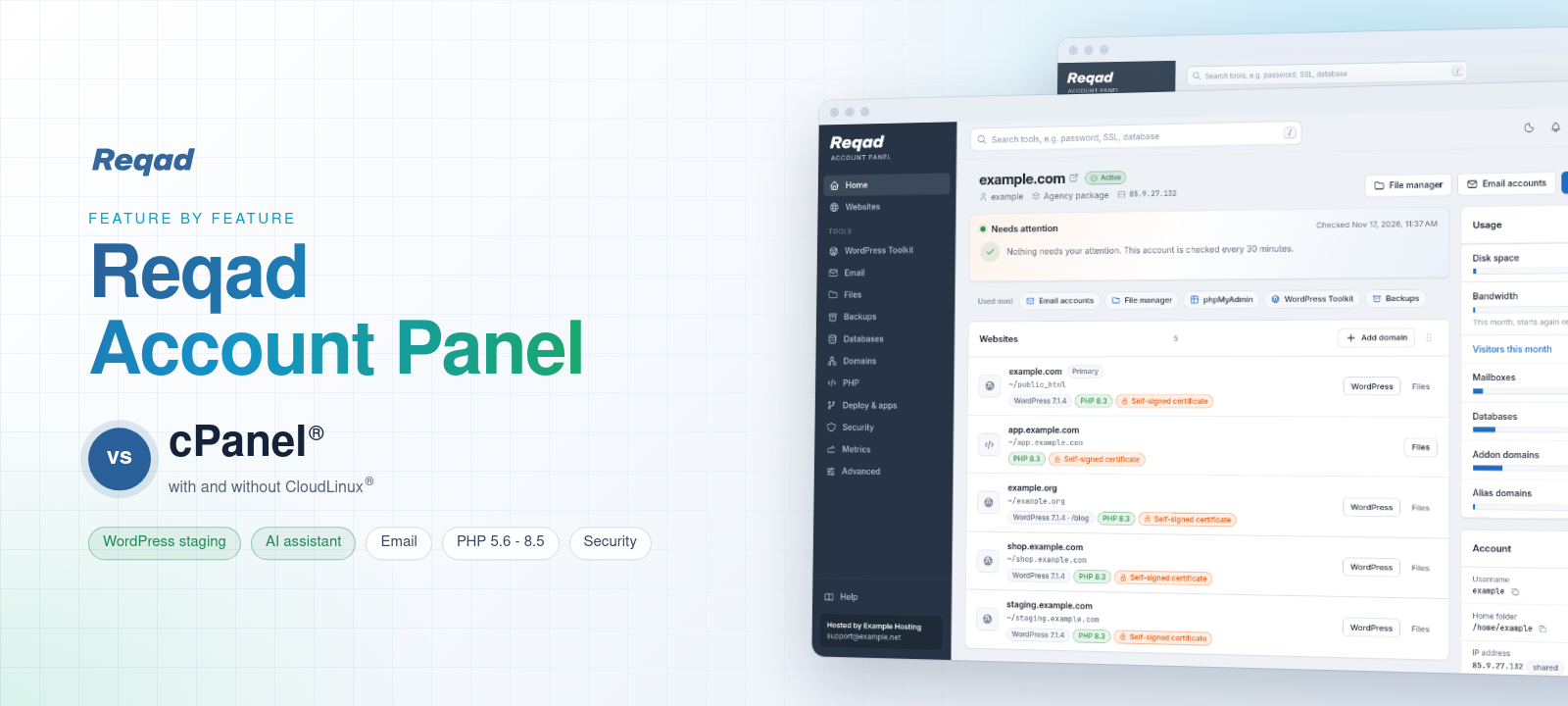
Comparison Account Panel
Reqad Account Panel vs cPanel
Feature by feature, with and without CloudLinux OS: what the Reqad Account Panel does better, what is the same, what we left out on purpose and what is still missing. Every Reqad screenshot is the real panel of a demo account.
Checked November 2026 against Reqad 1.0.51 with Account Panel 1.17 and the public documentation of cPanel & WHM and CloudLinux OS.
Executive summary
The short version
Counted over the 108 points compared on this page, against cPanel without CloudLinux.
What it is
The Reqad Account Panel is the control panel each hosting account gets on port 2083, on a server run by the open-source Reqad server panel (port 2087). It does the job cPanel does for an account. cPanel & WHM is a commercial panel licensed by the number of accounts. CloudLinux OS is a paid operating system often added to cPanel servers for per-account limits (LVE), a private filesystem per account (CageFS) and more PHP versions.
Where Reqad is ahead
- WordPress: staging, push to live without touching the live database, updates that back up first and put plugins back when the site breaks - for every account, with no paid tier.
- Email: DMARC in the deliverability check, and a mail provider switch for Google Workspace, Microsoft 365 and Zoho.
- Restores: a folder, one database or one mailbox back from the nightly backup, by the account itself.
- Insight: visitor statistics, readable logs and resource usage built in; a Needs attention list with Fix buttons.
- Developers: Git deployments with rollback, Node.js and Python apps, cron jobs with their output.
- AI assistant: any model the host picks, even one on its own server; every change approved, most can be undone.
- Security: the panel never runs as root, passkeys, per-visit phpMyAdmin logins.
What we left out
CGI and Perl, Apache handlers, Web Disk, catch-all addresses, BoxTrapper, mailing lists, PostgreSQL, image tools and site builders. They are old, rarely used, a source of spam or a needless way in. The list, with what to use instead.
What is still missing
Extra users per account, calendars and contacts, an app installer for other software, Ruby apps and a list of known-vulnerable plugins in the panel (the companion app WP Monitor does that today). The full list.
And CloudLinux?
Reqad covers what most hosts buy CloudLinux for: limits per account (sessions, PHP workers per site, database connections, disk quotas), a resource usage page, jailed shells and many PHP versions per site. CloudLinux still goes further with one LVE limit for everything an account runs (with disk IO), CageFS and patched old PHP versions. Side by side.
Cost
The Reqad server panel is free and open source (GPL-3.0). The Account Panel comes with Premium: one price per server per year, any number of accounts. cPanel is priced by the number of accounts; CloudLinux is a second licence per server.
| Area | Better | Same | Left out | Not yet |
|---|---|---|---|---|
| Signing in and the Home page | 3 | 2 | - | 2 |
| Usability and languages | 3 | 5 | - | - |
| WordPress Toolkit | 6 | 5 | - | 2 |
| 2 | 7 | 4 | 2 | |
| Files | - | 5 | 2 | - |
| Databases | 3 | 1 | 2 | - |
| Domains, SSL and DNS | 1 | 5 | 2 | 1 |
| Backups | 3 | 2 | 1 | 1 |
| Metrics | 3 | 1 | - | 1 |
| Developers: Git, apps and cron | 2 | 1 | - | 2 |
| AI assistant | 4 | 5 | - | - |
| Limits and isolation | 2 | 3 | - | 2 |
| Security | 4 | 5 | 1 | - |
How to read the tables: the status under each feature compares Reqad with cPanel. The last column shows what CloudLinux OS adds to cPanel; More than Reqad marks the places where it does more than Reqad does today. In the Backups table the last column is JetBackup instead.
Signing in and the Home page
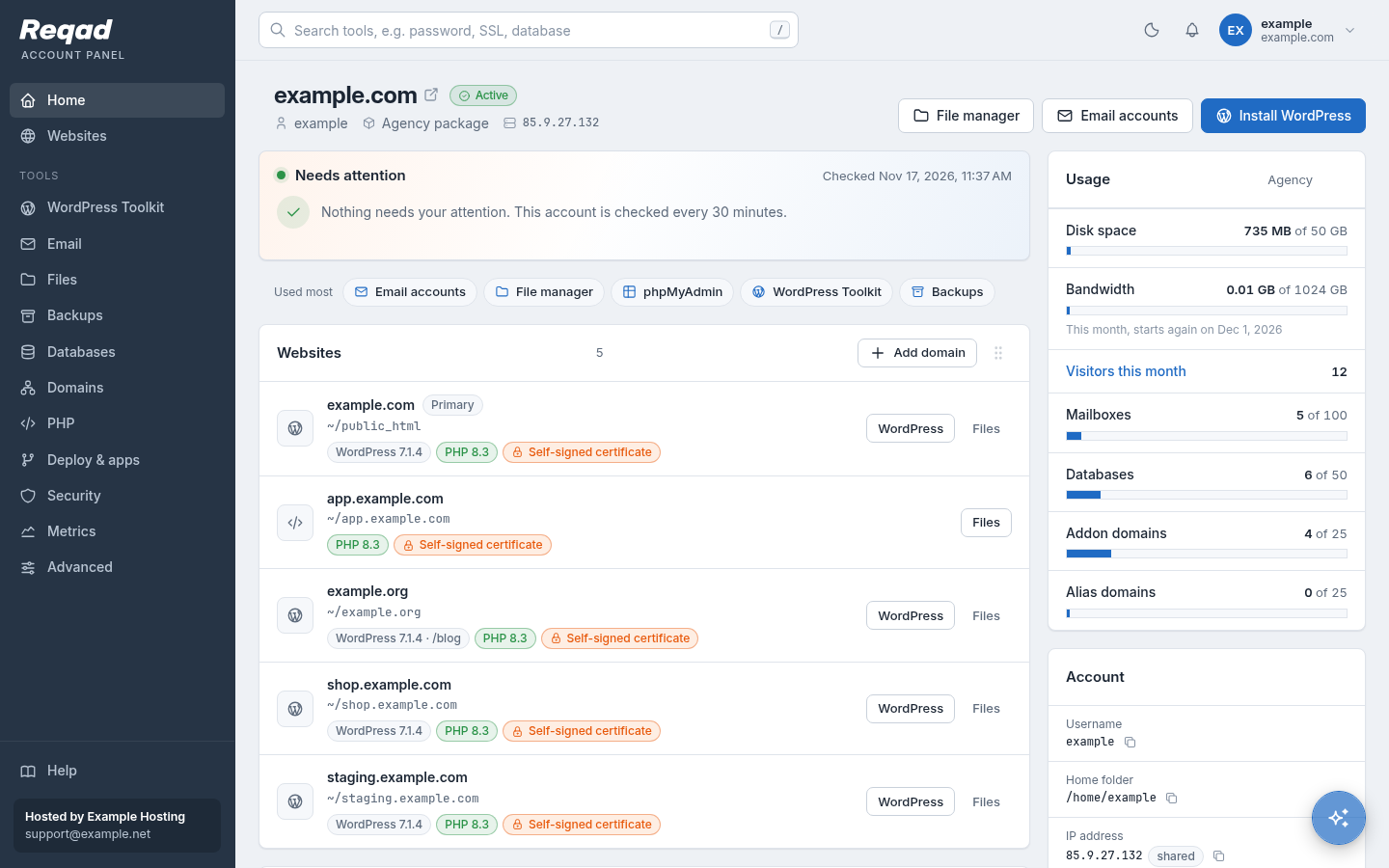
The first page an account sees: its websites, what it uses against its package, and what needs a look - with a search over every tool.
| Feature | Reqad Account Panel | cPanel | cPanel + CloudLinux |
|---|---|---|---|
| Home page Better | Every website with its WordPress version, PHP version and certificate; disk, bandwidth, mailboxes and databases against the package; a search over every tool. | Tools page with all icons, a statistics column and a search. | as cPanel |
| Needs attention Better | Expiring certificates, missing mail DNS records, old PHP versions, full PHP workers, infected files - most with a Fix button, and mailed to the account (at most once a week per problem). | Notices by mail for some events (disk quota, certificates). | as cPanel |
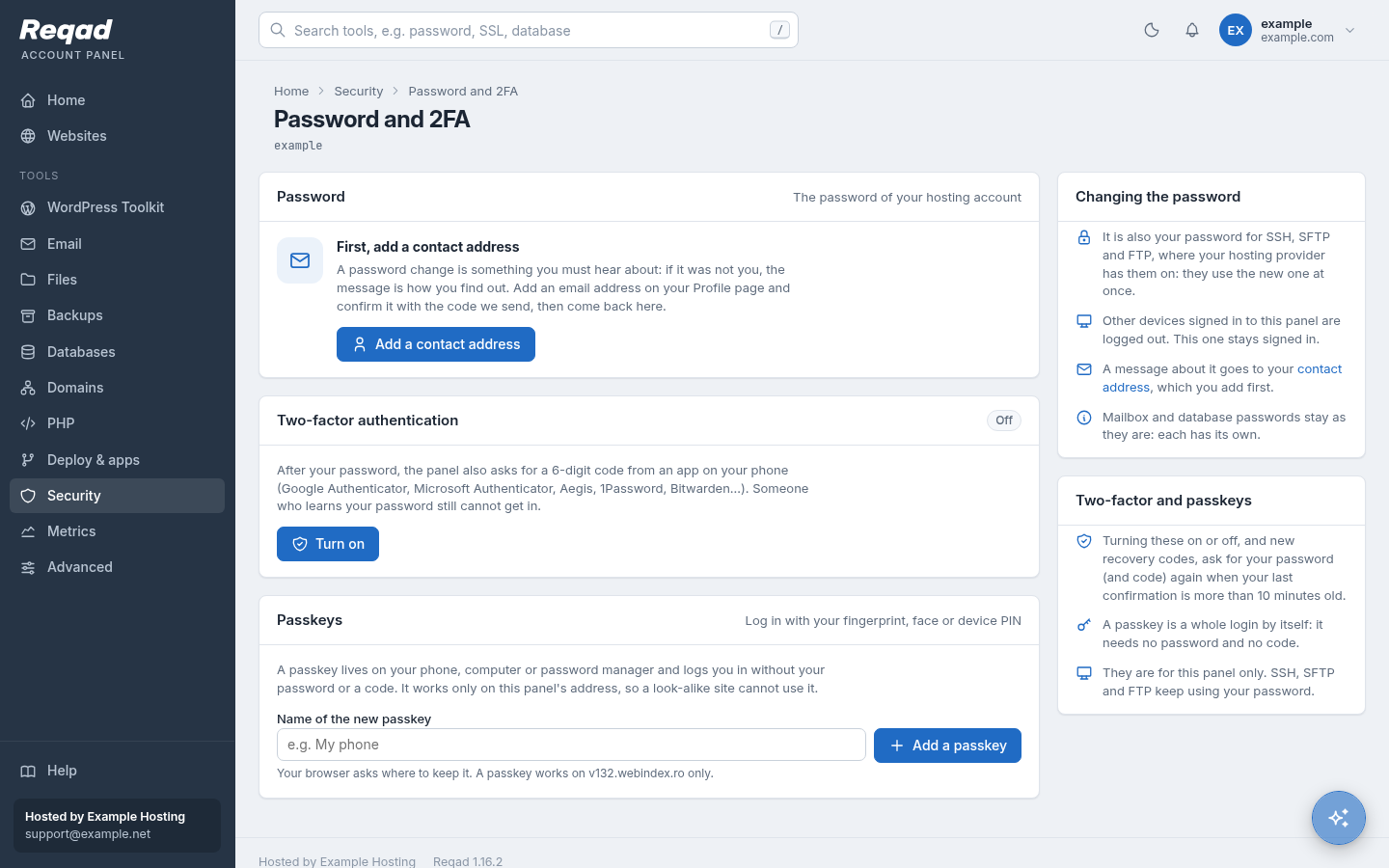
| Two-factor and passkeys Better | An authenticator app (TOTP) with recovery codes, and passkeys: fingerprint, face or device PIN, which only work on the panel's own address. | Authenticator app codes (TOTP). | as cPanel |
| One password Same | The account's system password, the same for SSH, SFTP and FTP - so moved accounts keep theirs. | The account's password, the same for SSH and FTP. | as cPanel |
| Contact address and messages Same | Confirmed with a code sent to it; each kind of message on or off. | Contact Information with notification choices. | as cPanel |
| Extra users (team access) Not yet | Not yet: one sign-in per account. | User Manager, and team users with chosen roles. | as cPanel |
| API tokens page Not yet | Not yet in the panel: account API tokens are made by the host. | Manage API Tokens. | as cPanel |
Usability and languages
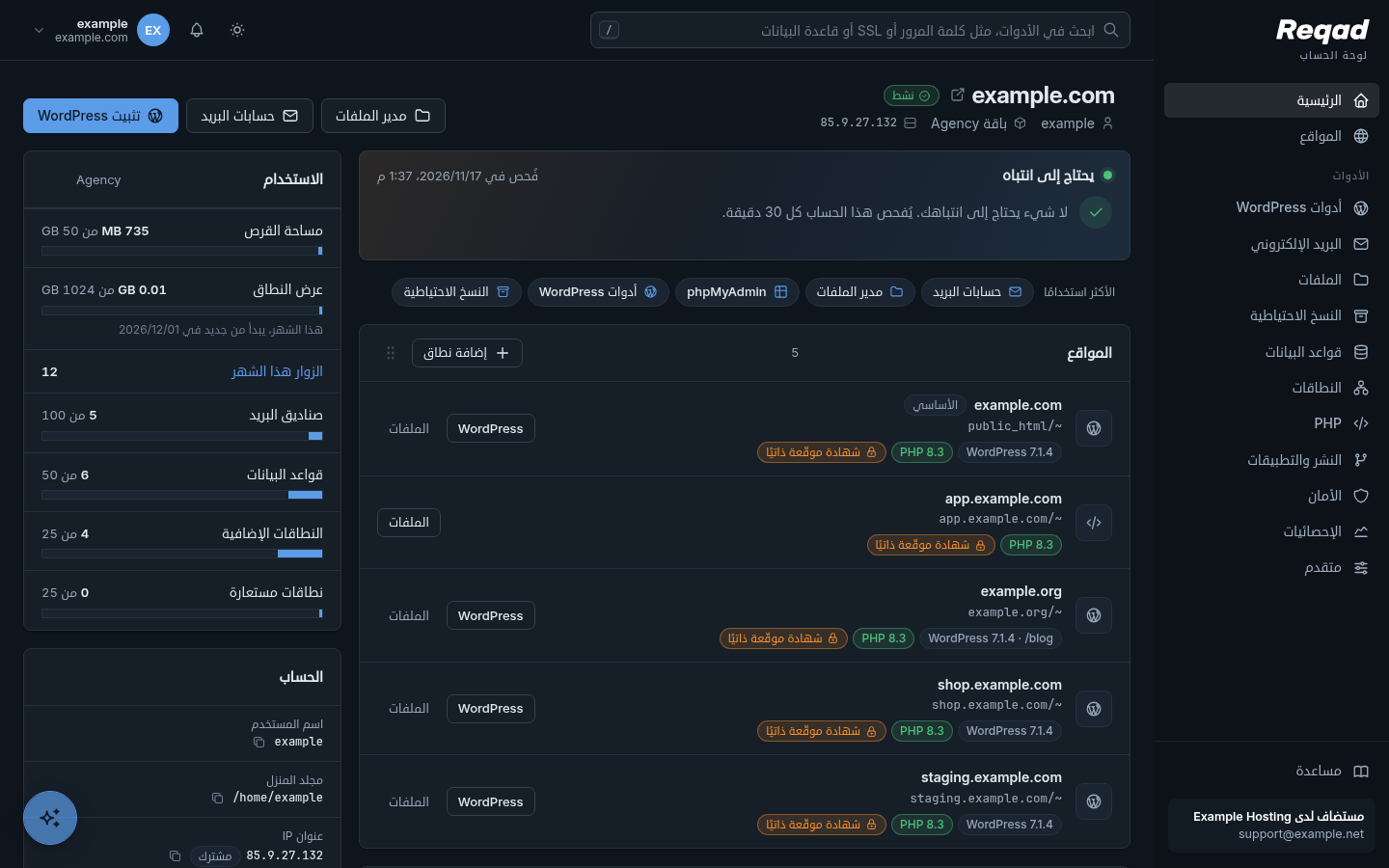
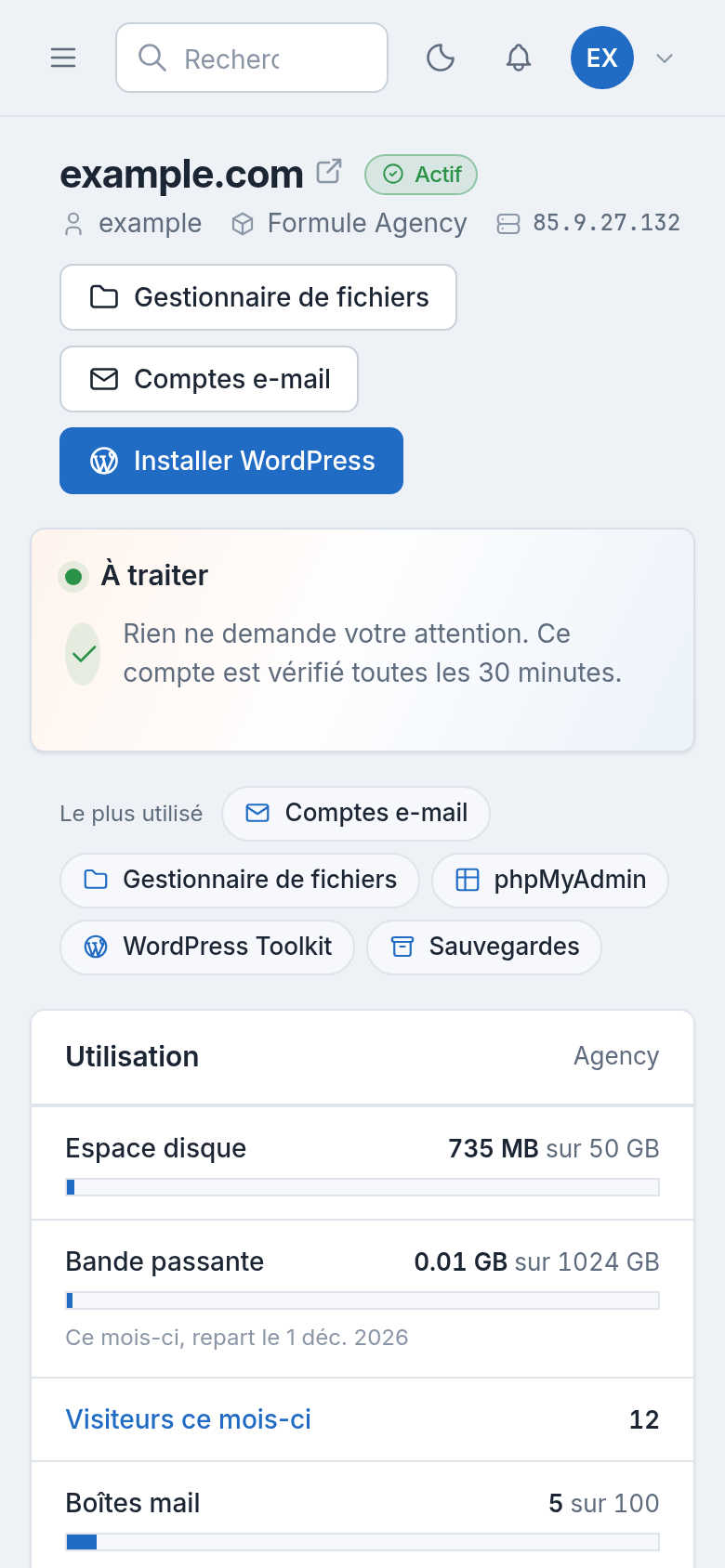
Nine languages, each translated in full - Arabic right to left - against eight officially supported by cPanel. Every page fits a phone and explains itself in plain words.
| Feature | Reqad Account Panel | cPanel | cPanel + CloudLinux |
|---|---|---|---|
| Languages Same | Nine, each translated in full: English, Romanian, French, German, Spanish, Greek, Hungarian, Chinese and Arabic. | Eight officially supported: English, German, Indonesian, Japanese, Portuguese, Russian, Spanish and Turkish; the older translations were dropped. | as cPanel |
| Right to left Better | Arabic is laid out right to left, menus and tables included. | None of the officially supported languages is written right to left. | as cPanel |
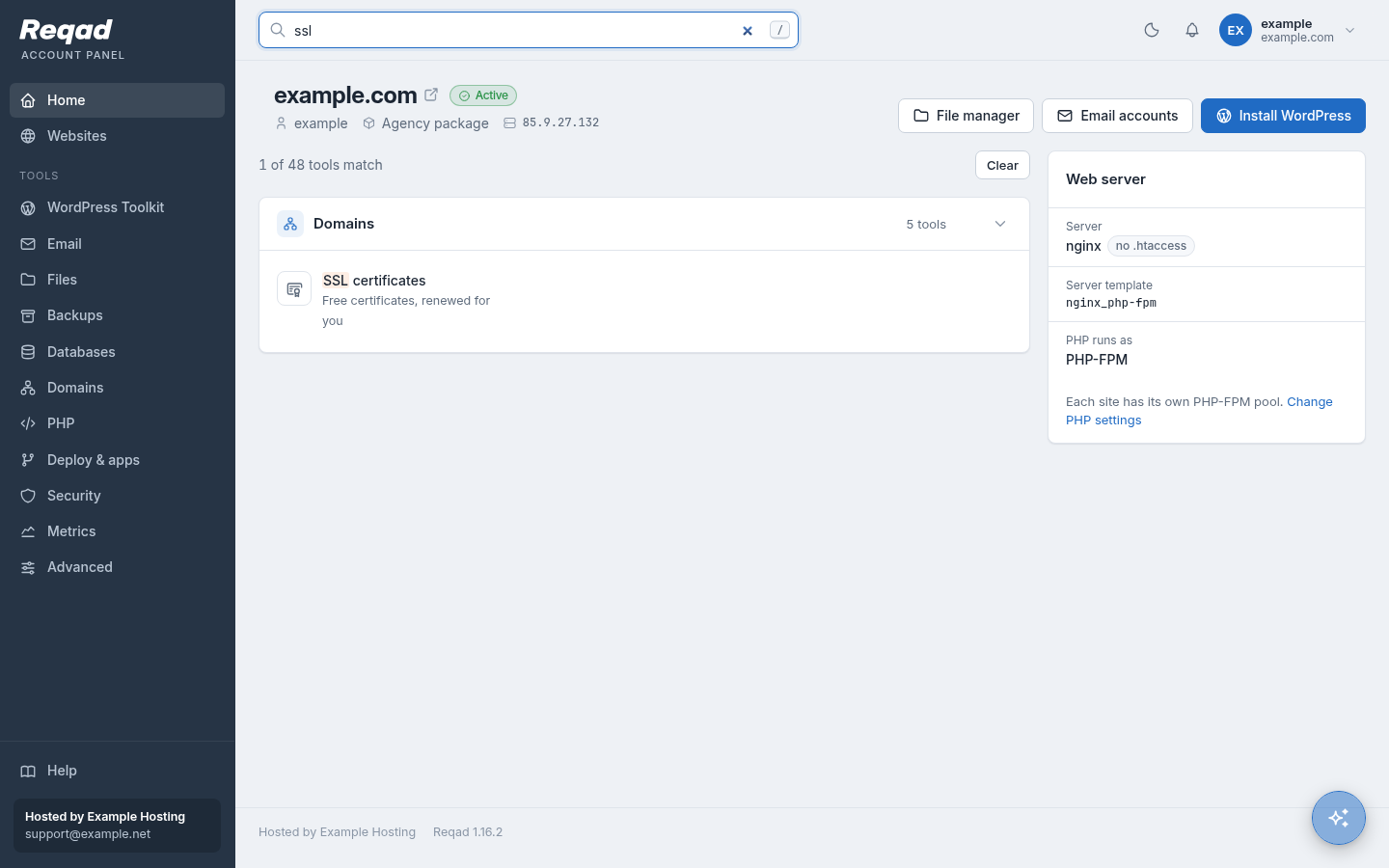
| Finding a tool Same | A search over every tool at the top of each page (press /), and the tools used most on Home. | A search box over the tools. | as cPanel |
| Light and dark Same | Follows the device, or chosen in each browser; a choice of colour styles. | Light and dark in the new Meridian theme. | as cPanel |
| On a phone Better | Every page fits a phone; a QR code on the computer opens the panel on the phone. | The themes adapt to small screens. | as cPanel |
| Explained on the page Better | Each tool has a "how it works" or "good to know" column in plain words next to its form. | Short descriptions, with links to the documentation. | as cPanel |
| No second password Same | Webmail, phpMyAdmin, WordPress dashboards and the terminal open from the panel without another password. | Webmail, phpMyAdmin and WP Toolkit Log in open from the session. | as cPanel |
| The host's brand Same | Provider name, support line and help link in the menu and in the mails it sends. | Logos, links and styles set by the host in WHM. | as cPanel |
WordPress Toolkit
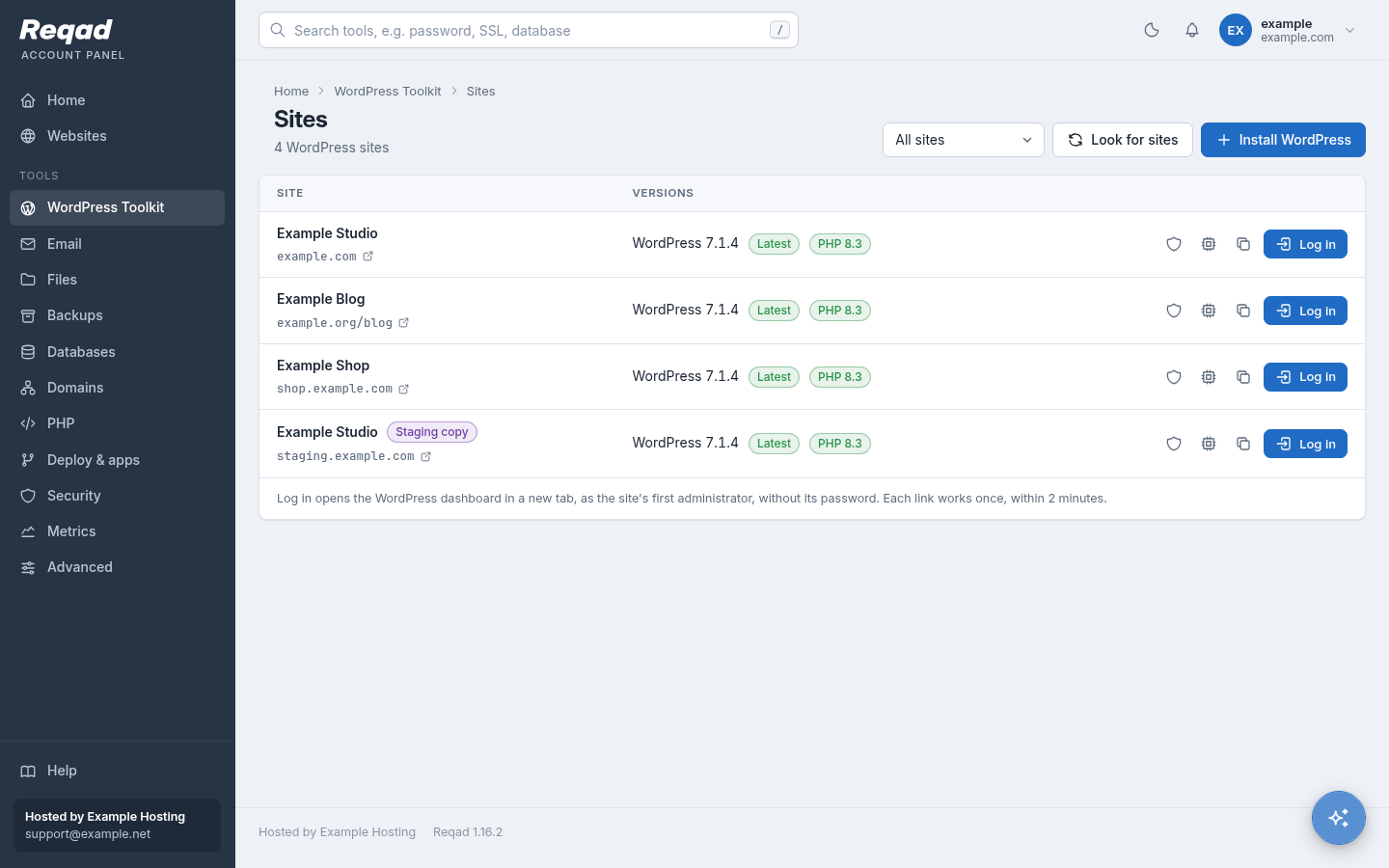
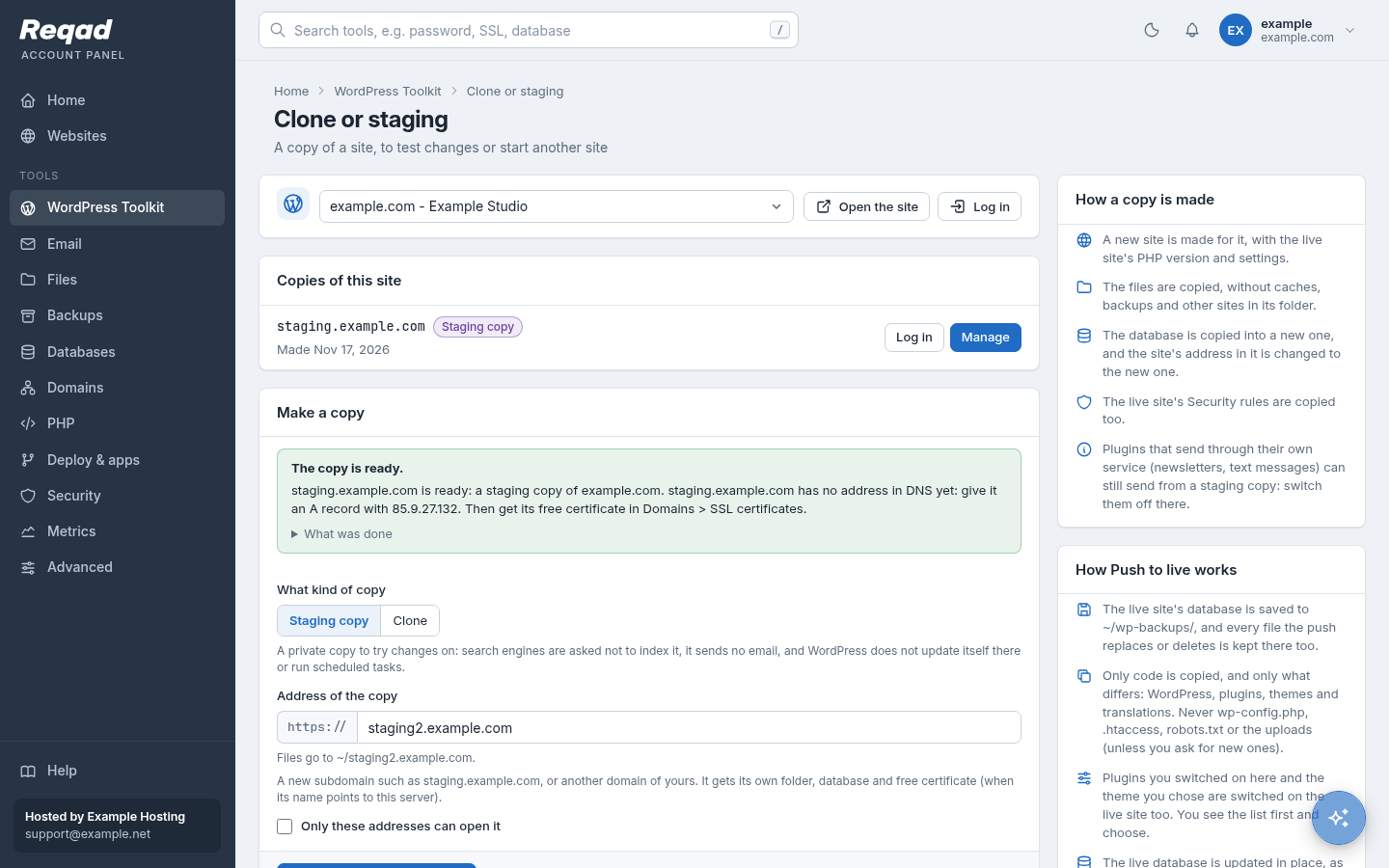
The biggest difference. Staging, push to live and updates that check themselves are included for every account - there is no paid tier.
| Feature | Reqad Account Panel | cPanel | cPanel + CloudLinux |
|---|---|---|---|
| Find existing sites Same | Every site, addon domain, subdomain and subfolder, looked through as the account. | WP Toolkit scan. | as cPanel |
| Install WordPress Same | Own database, your language; a guessable admin name such as "admin" is refused. | WP Toolkit installer (Softaculous too, where the host pays for it). | as cPanel |
| One-click login Same | A single-use link valid for 2 minutes; no password is stored. | WP Toolkit Log in. | as cPanel |
| Updates Better | In the background, with a database backup first. Updates the site's PHP or WordPress cannot run are left out; a broken plugin does not stop the rest. | Updates in WP Toolkit. Smart Updates (tested on a copy first) only with WP Toolkit Deluxe, a paid upgrade. | as cPanel |
| Auto-updates Better | Per site: WordPress (fixes only or all), plugins and themes, day and hour, wait N days after a release. Plugins and themes are put back if the home page stops working. | Auto-update settings per site; tested updates only with Deluxe. | as cPanel |
| Staging and clone Better | Included: a copy with its own database and certificate. Staging sends no mail, is not indexed and can be open only to your addresses. | Cloning and staging only with WP Toolkit Deluxe. | as cPanel |
| Push to live Better | Only the code you pick (core, plugins, themes, new uploads) and chosen setting groups. The live database is never overwritten, so new orders and comments stay. One click undoes it. | Copy files and chosen database tables back to the site, with Deluxe. | as cPanel |
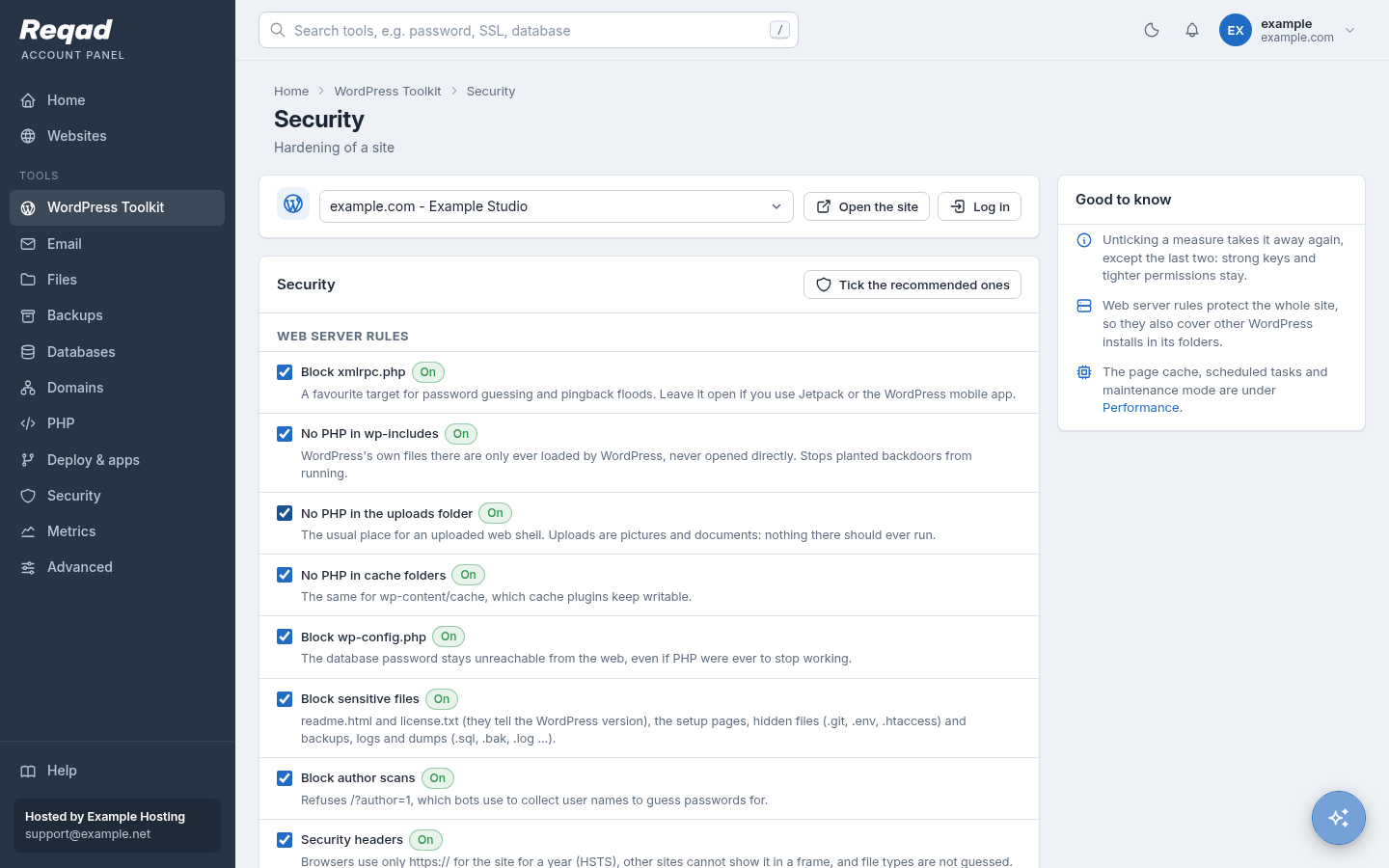
| Security measures Same | 17 measures in one click, several as web server rules: block xmlrpc.php, no PHP in uploads, hidden login page, login only from your addresses, bad bots, author scans. | Security hardening in WP Toolkit (many sites at once with Deluxe). | as cPanel |
| Page cache Better | nginx page cache per site, with your own never-cache pages and cookies; links with campaign tags (utm_, gclid...) are still served from the cache. | Not built in: a caching plugin, LiteSpeed or a paid add-on. | AccelerateWP (premium tiers are paid). |
| Real cron instead of WP-Cron Better | One switch. | By hand in Cron Jobs. | as cPanel |
| Maintenance mode, search engines, empty caches Same | Yes, per site. | Yes, per site. | as cPanel |
| Known-vulnerable plugins list Not yet | Not yet in the panel: the companion app WP Monitor checks WordPress core, plugins and themes for known vulnerabilities today, and will be built into the Account Panel. | WP Toolkit warns about plugins and themes with known vulnerabilities. | as cPanel |
| Plugin sets, bulk actions on many sites Not yet | Not yet. | With Deluxe. | as cPanel |
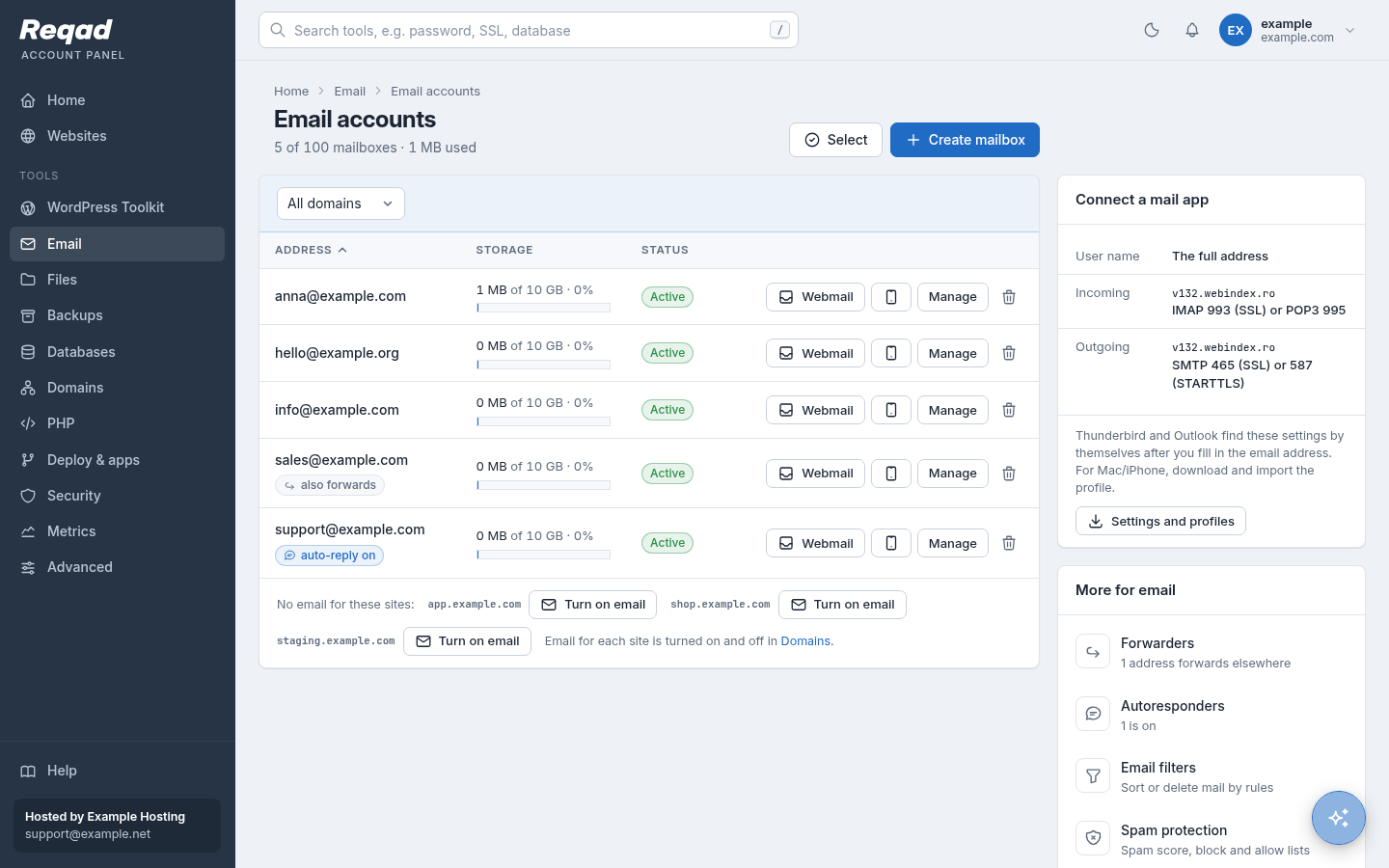
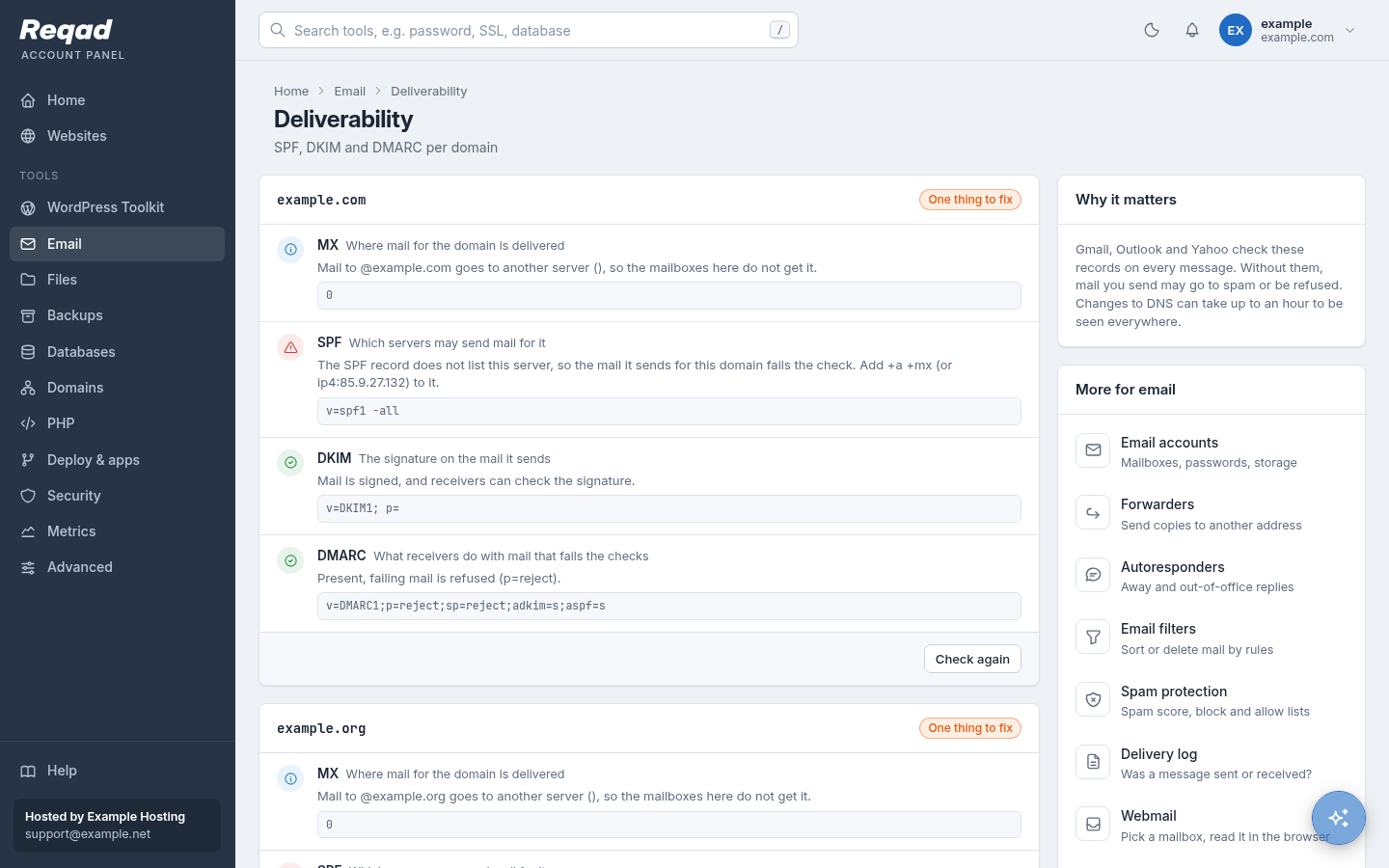
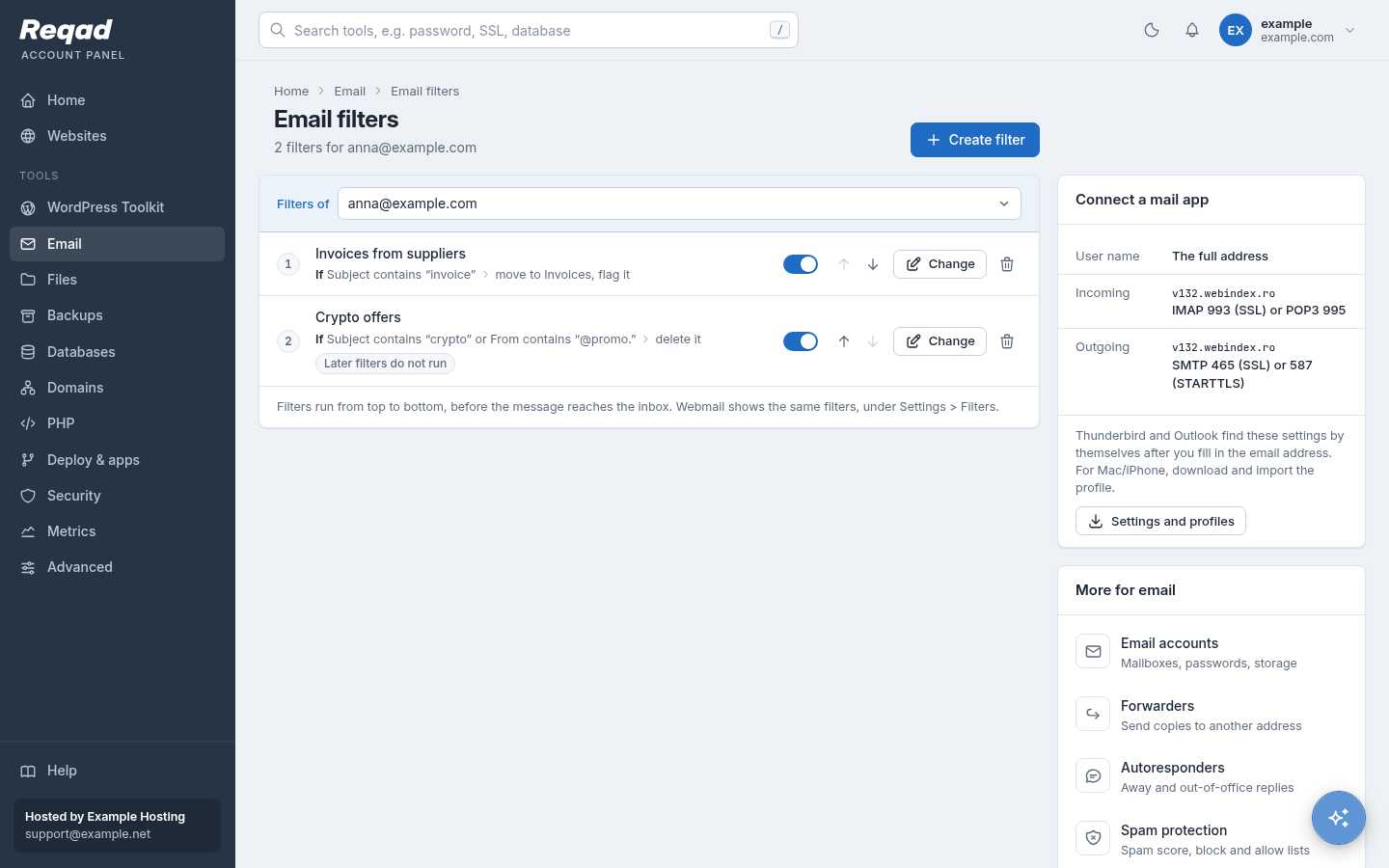
The same mail server underneath (Exim, Dovecot, SpamAssassin, Roundcube). The panel adds DMARC, a mail provider switch and a home page for every mailbox owner.
| Feature | Reqad Account Panel | cPanel | cPanel + CloudLinux |
|---|---|---|---|
| Mailboxes Same | Size per mailbox, webmail in one click, settings for phones. | Email Accounts. | as cPanel |
| Forwarders and autoresponders Same | Yes; an autoresponder can have a start and an end day. | Forwarders, Autoresponders. | as cPanel |
| Filters Same | For one mailbox, or for every mailbox of a domain. | Email Filters and Global Email Filters. | as cPanel |
| Spam protection Same | How strict, always-spam and never-spam lists, move spam to Junk. | Spam Filters (Apache SpamAssassin). | as cPanel |
| Deliverability check Better | SPF, DKIM and DMARC for each domain, with a Fix button. | SPF, DKIM and reverse DNS (Email Deliverability). | as cPanel |
| Mail provider of a domain Better | Pick Google Workspace, Microsoft 365, Zoho Mail, another provider or this server: MX, SPF and the provider's records are written for you. | Email Routing, and the records by hand in the Zone Editor. | as cPanel |
| Delivery log Same | What was sent and received, for the account's domains. | Track Delivery. | as cPanel |
| Webmail and mailbox home Same | Roundcube; Webmail Home on port 2096 lets mailbox owners change their own password, forwarding, autoresponder and filters. | Roundcube; the webmail home on port 2096. | as cPanel |
| Mail app setup Same | Server settings, an Apple profile and a QR code for the phone. | Connect Devices, with profiles. | as cPanel |
| Default address (catch-all) Left out | Left out: a catch-all collects the spam sent to made-up addresses. Where a domain really needs one, the host can add it as a custom Exim filter. | Default Address. | as cPanel |
| Calendars and contacts Not yet | Not yet (on a transfer, contacts are copied into the webmail address book). | Calendars and Contacts (CalDAV / CardDAV). | as cPanel |
| Import addresses from a file Not yet | Not yet. | Address Importer. | as cPanel |
| Mailing lists Left out | Left out. | Mailman. | as cPanel |
| BoxTrapper Left out | Left out: spam filtering does this job. | BoxTrapper (challenge mails to unknown senders). | as cPanel |
| Encryption keys Left out | Left out: mail apps encrypt mail themselves. | Encryption (GnuPG). | as cPanel |
Files
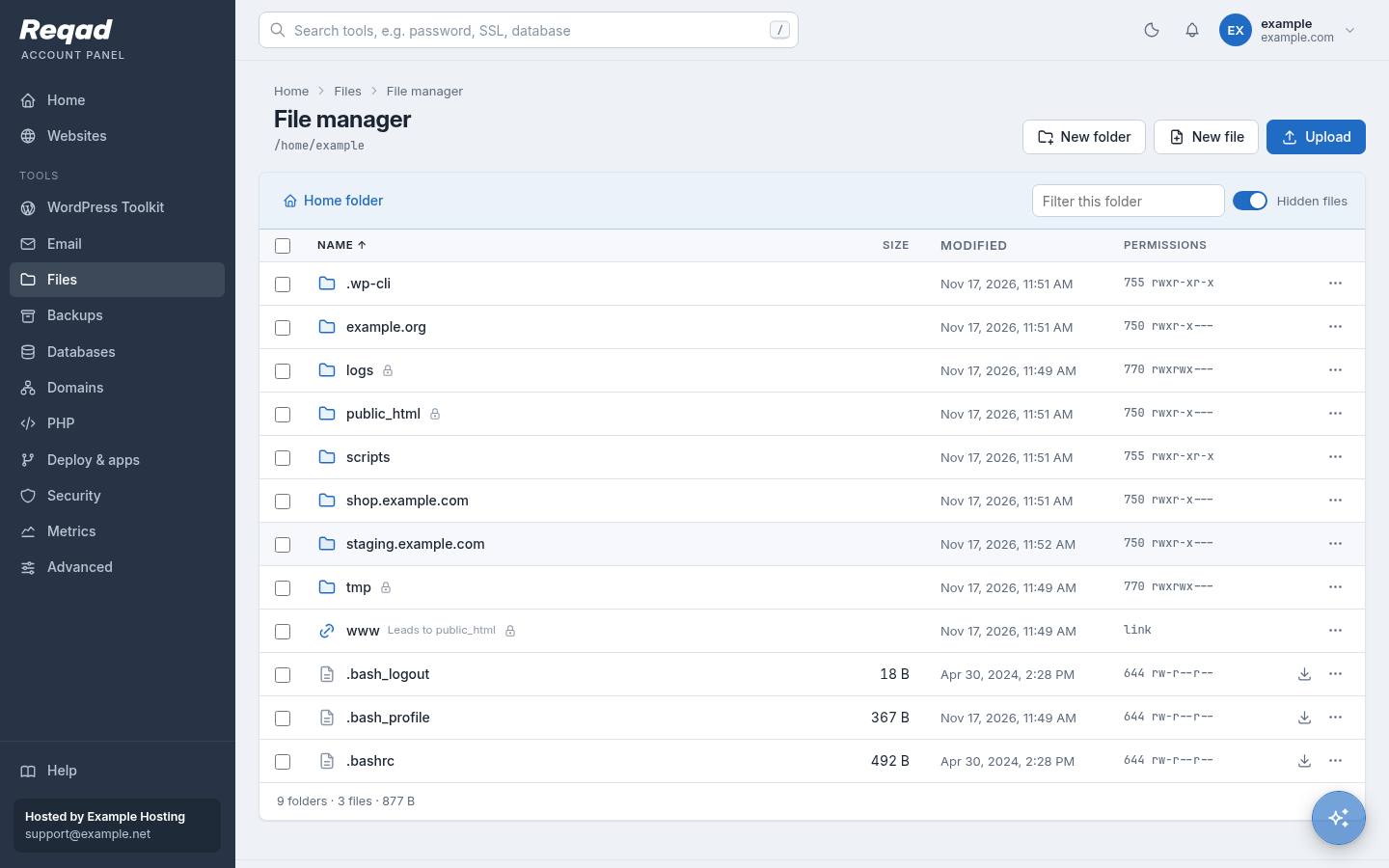
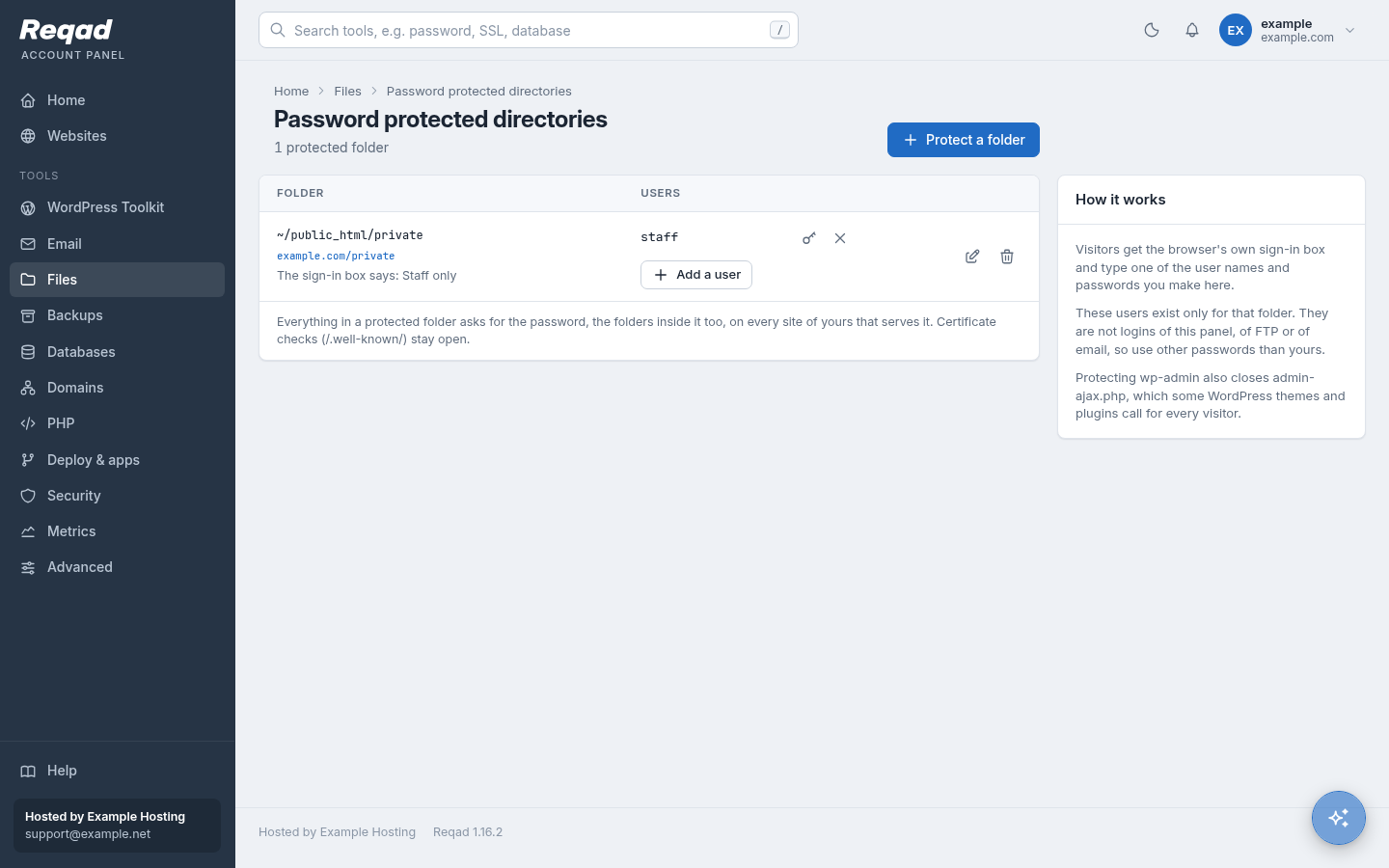
Everything that touches the account's files runs as the account itself, so the operating system's own permissions are the boundary.
| Feature | Reqad Account Panel | cPanel | cPanel + CloudLinux |
|---|---|---|---|
| File manager Same | Editor, upload, download, archives, permissions; it runs as the account, and downloads never open in the browser. | File Manager. | as cPanel |
| Disk usage Same | What takes up the space, folder by folder, and what can be cleaned. | Disk Usage. | as cPanel |
| Password protected folders Same | Works on nginx and Apache; the password files are kept outside your home folder. | Directory Privacy (.htaccess). | as cPanel |
| FTP accounts Same | Locked to one folder, TLS required (FTP server add-on). | FTP Accounts. | as cPanel |
| Terminal Same | Full or jailed shell; closes by itself when you sign out. | Terminal. | as cPanel |
| Web Disk (WebDAV) Left out | Left out: SFTP, FTP and the file manager instead. | Web Disk. | as cPanel |
| Image tools Left out | Left out. | Images (thumbnails, scale, convert). | as cPanel |
Databases
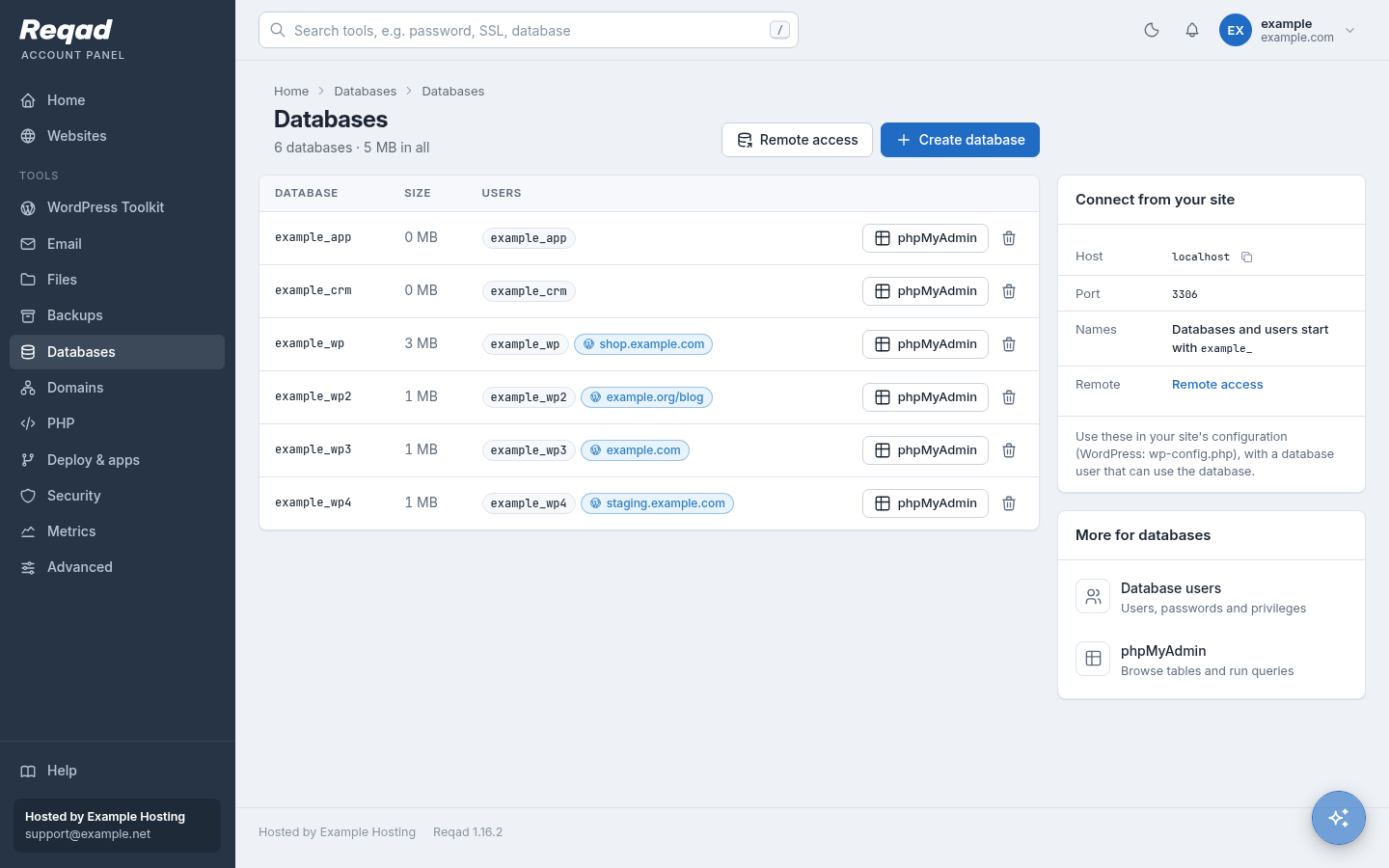
MySQL / MariaDB databases and users, with fewer choices to get wrong and safer access from outside.
| Feature | Reqad Account Panel | cPanel | cPanel + CloudLinux |
|---|---|---|---|
| Databases and users Same | A database and its user in one dialog; each database shows the site that uses it. | MySQL Databases and the Database Wizard. | as cPanel |
| Remote access Better | Per user, database and IP address; the firewall opens only for that address. | Remote MySQL: allowed hosts for all the account's users. | as cPanel |
| phpMyAdmin Better | No password: a database login made for that visit only, removed when you sign out. | phpMyAdmin, signed in with the account. | as cPanel |
| Safe delete Better | A database a WordPress site uses asks for its name to be typed first. | Deleted at once. | as cPanel |
| Privileges one by one Left out | Left out: a user has all privileges on a database or none. | Choose each privilege. | as cPanel |
| PostgreSQL Left out | Left out: MySQL / MariaDB only. | PostgreSQL Databases and phpPgAdmin. | as cPanel |
Domains, SSL and DNS
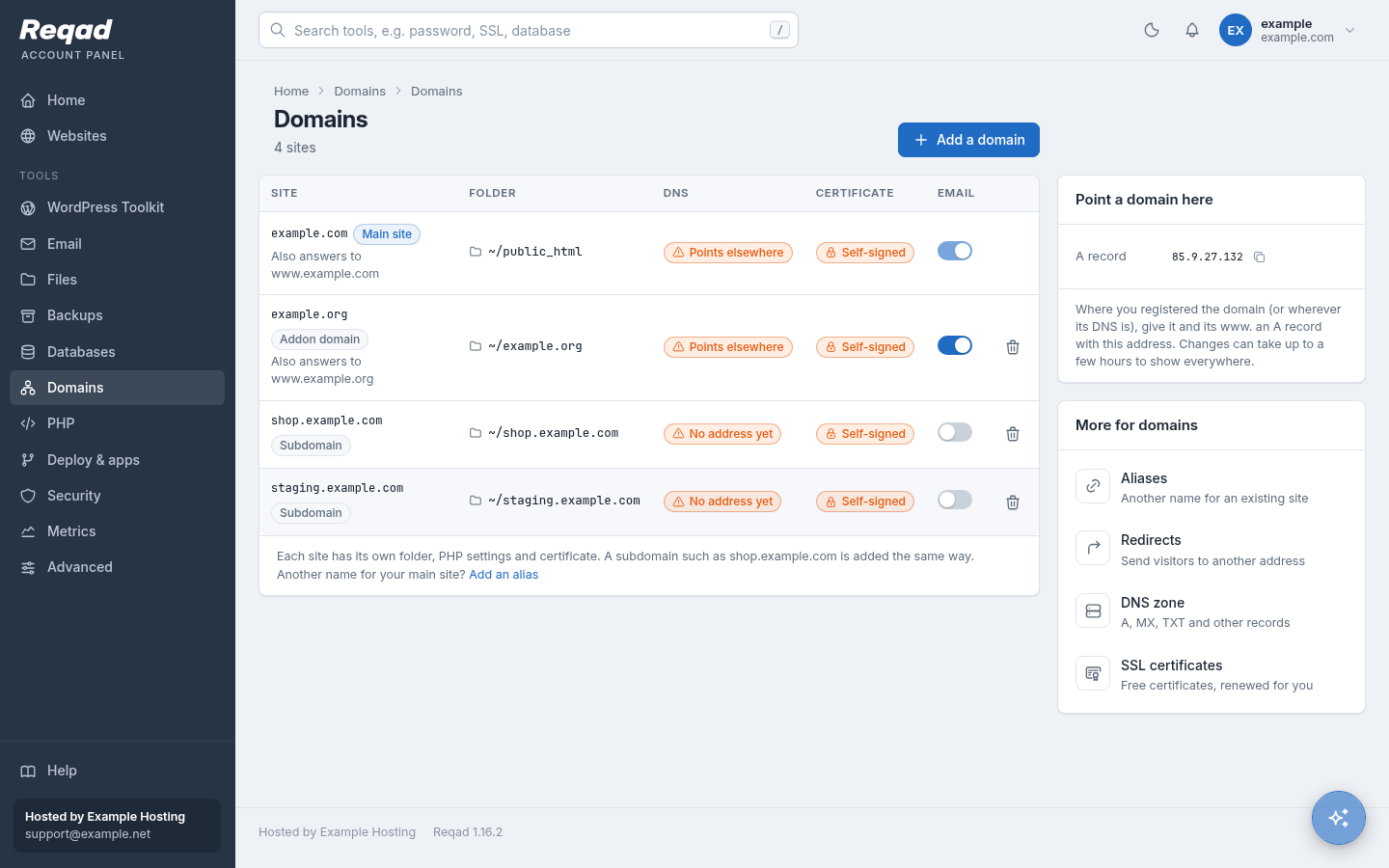
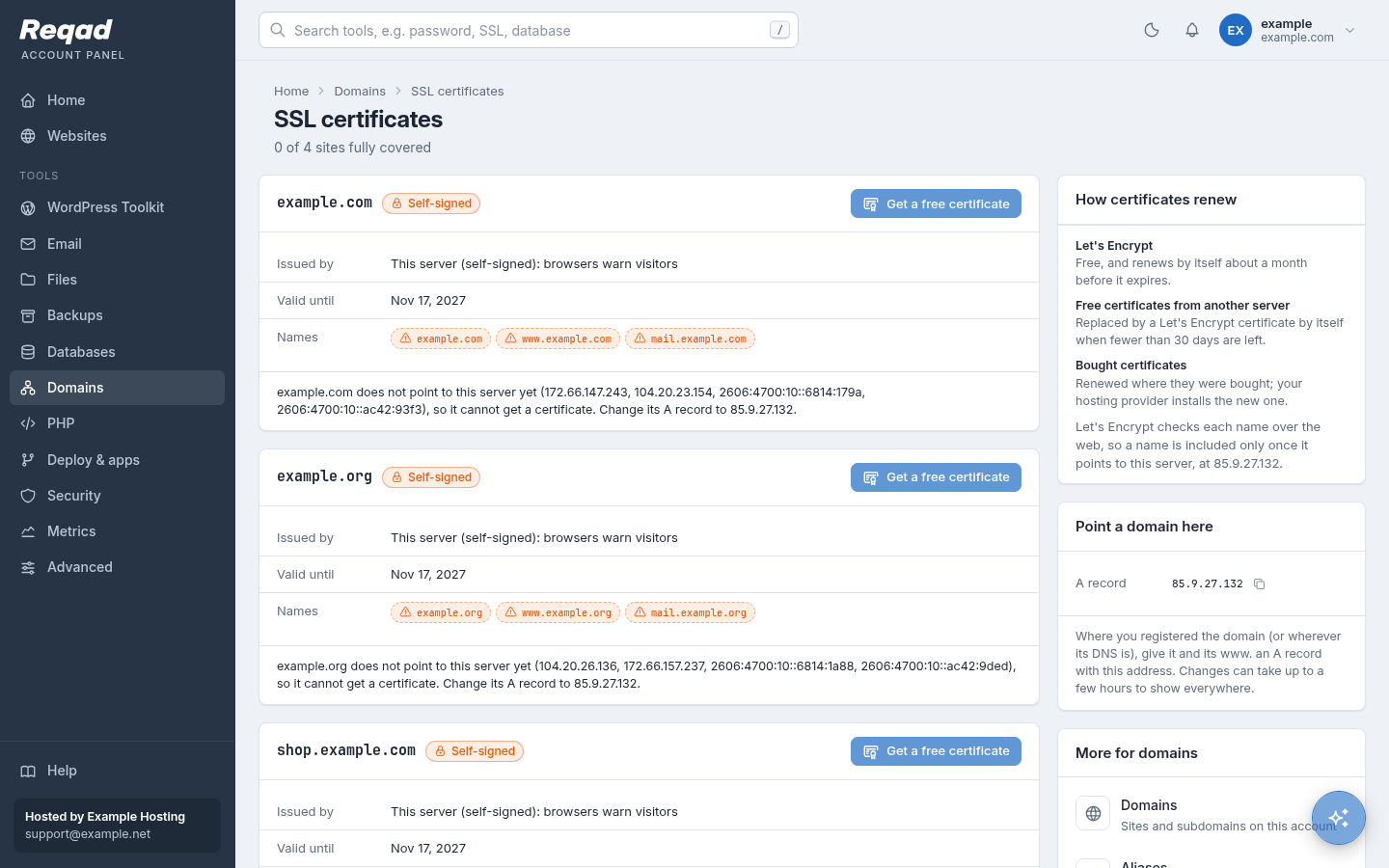
Each site has its own folder, PHP version, mail and certificate, and shows where its name points now.
| Feature | Reqad Account Panel | cPanel | cPanel + CloudLinux |
|---|---|---|---|
| Addon domains and subdomains Same | Each with its own folder, PHP version and mail. | Domains. | as cPanel |
| Aliases Same | Another name for a site (no mailboxes of its own). | Aliases (parked domains), which can have mail. | as cPanel |
| Redirects Same | 301 or 302, one address or a whole path; written into the web server, so they work on nginx too. | Redirects (.htaccess). | as cPanel |
| DNS zone editor Same | A, AAAA, CNAME, MX, TXT, SRV and CAA; NS and SOA records are locked. | Zone Editor. | as cPanel |
| Free certificates Same | Let's Encrypt, renewed by itself; mail.<domain> covered too. | AutoSSL (Sectigo or Let's Encrypt). | as cPanel |
| Where a name points Better | Each site shows whether its DNS points to this server and what to change. | Not on the Domains page; Track DNS has lookup tools. | as cPanel |
| Your own certificate Left out | Left out of the account panel: the host installs bought certificates from the server panel (port 2087). | SSL/TLS manager: keys, CSRs, certificates. | as cPanel |
| Dynamic DNS Not yet | Not yet. | Dynamic DNS. | as cPanel |
| Site builders Left out | Left out. | Site Publisher, Sitejet Builder. | as cPanel |
PHP versions
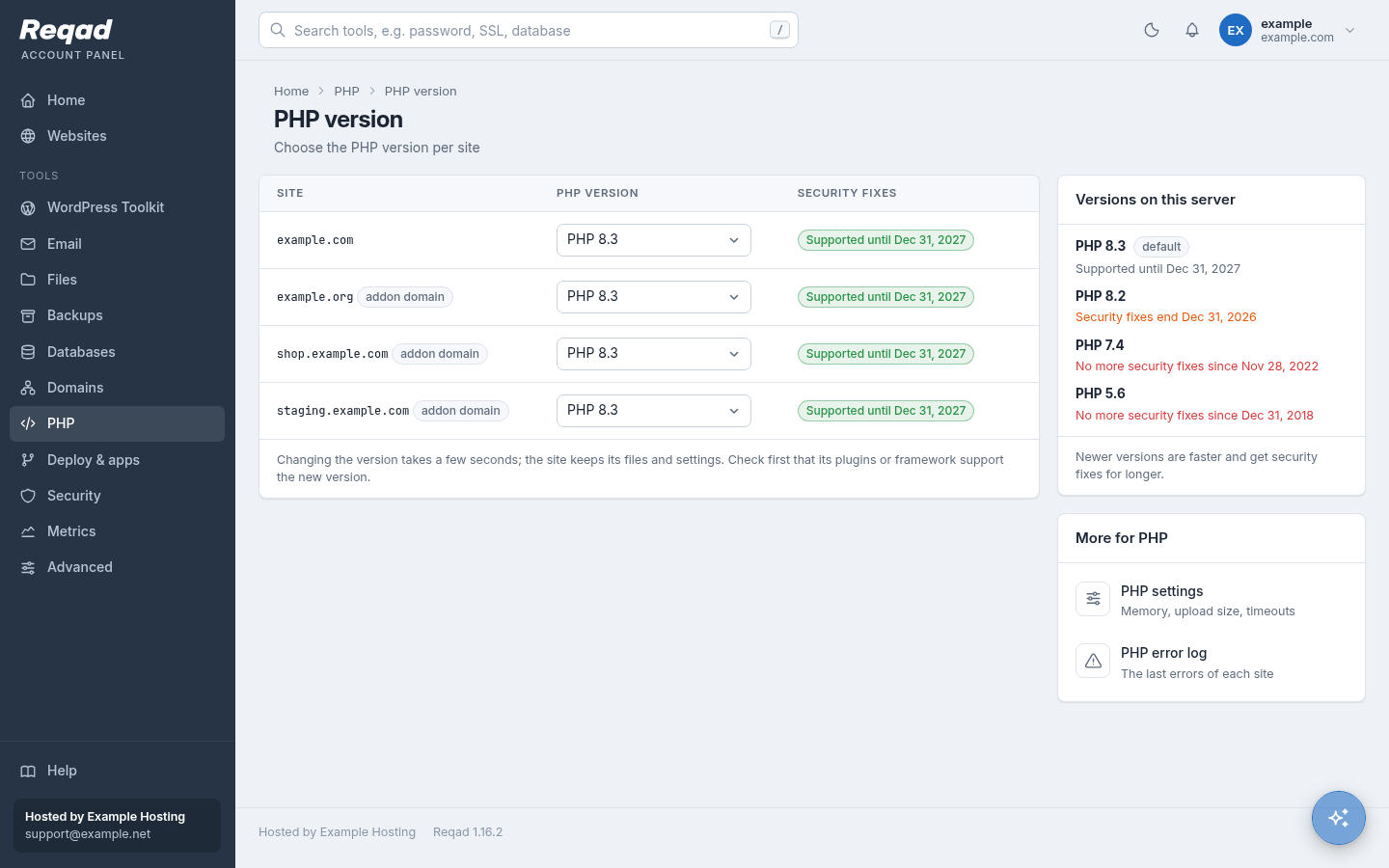
Many versions on one server, chosen per site. CloudLinux brings the widest range of old versions; Reqad lets each site, not only each account, choose.
| Reqad | cPanel | cPanel + CloudLinux | |
|---|---|---|---|
| Versions | PHP 5.6, 7.4 and 8.0 to 8.5 (EL9); also 5.4, 7.2 and 7.3 on EL8. | ea-php 7.4 to 8.5; versions PHP no longer supports are marked end of life. | alt-php from PHP 5 (and older) up to 8.5, next to cPanel's ea-php. |
| Who builds them | The Remi repository (the reference PHP packages for Red Hat-type systems); Reqad's own builds of 5.4 and 5.6. | cPanel (EasyApache 4). | CloudLinux, with security fixes carried back into old versions (hardened PHP). |
| Choosing a version | Per site - main domain, addon domain or subdomain - by the account, in the panel. | Per domain, in MultiPHP Manager. | Per account in PHP Selector (all its sites), or per domain in MultiPHP Manager. |
| How PHP runs | A PHP-FPM pool for each site, running as the account. mod_php as a choice on Apache servers. | PHP-FPM, CGI or mod_php (DSO). | Also LSAPI (mod_lsapi). |
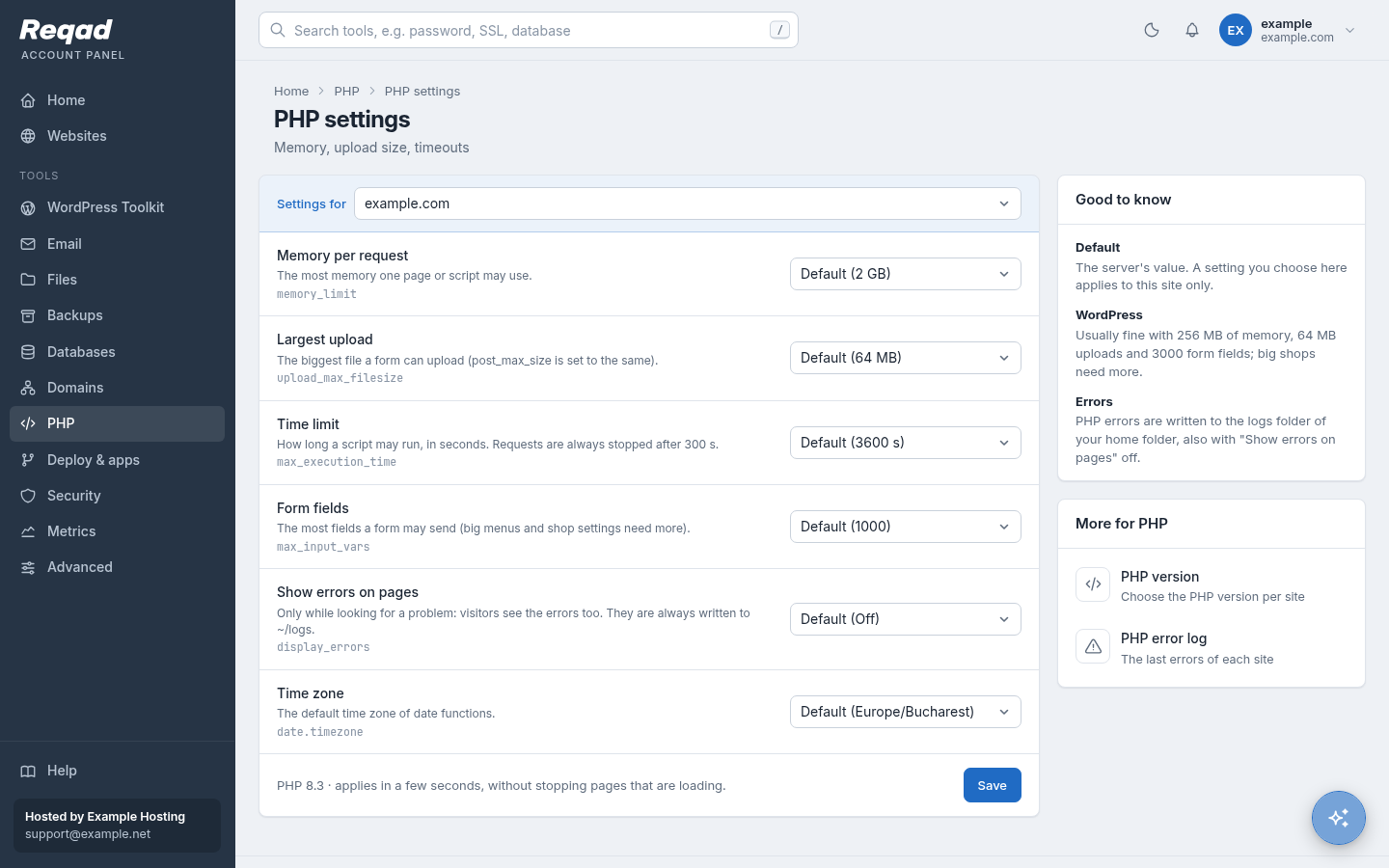
| Settings | Memory, largest upload, time limit, form fields, show errors, time zone - checked, applied in seconds without stopping pages that are loading. | MultiPHP INI Editor: basic mode, or any directive in editor mode. | PHP Selector options per account. |
| Extensions | Chosen by the host for each version. | Chosen by the host in EasyApache. | Each account ticks its own. |
| Error log | Per site in ~/logs, shown in the panel, kept to a set size. | error_log files next to the scripts; Errors page. | As cPanel. |
| Old versions | The end of security fixes is shown next to each version; a site on an ended version shows under Needs attention. | End-of-life versions are marked in WHM. | Hardened builds keep old versions patched longer. |
| php_value in .htaccess | Not read on nginx: set it in the panel (Apache servers read it). | Read with mod_php and LSAPI; .user.ini with PHP-FPM. | As cPanel. |
| Kept apart | Pool as the account, open_basedir limited to the home folder, risky functions switched off. | Pools run as the account. | Also CageFS (below). |
Backups
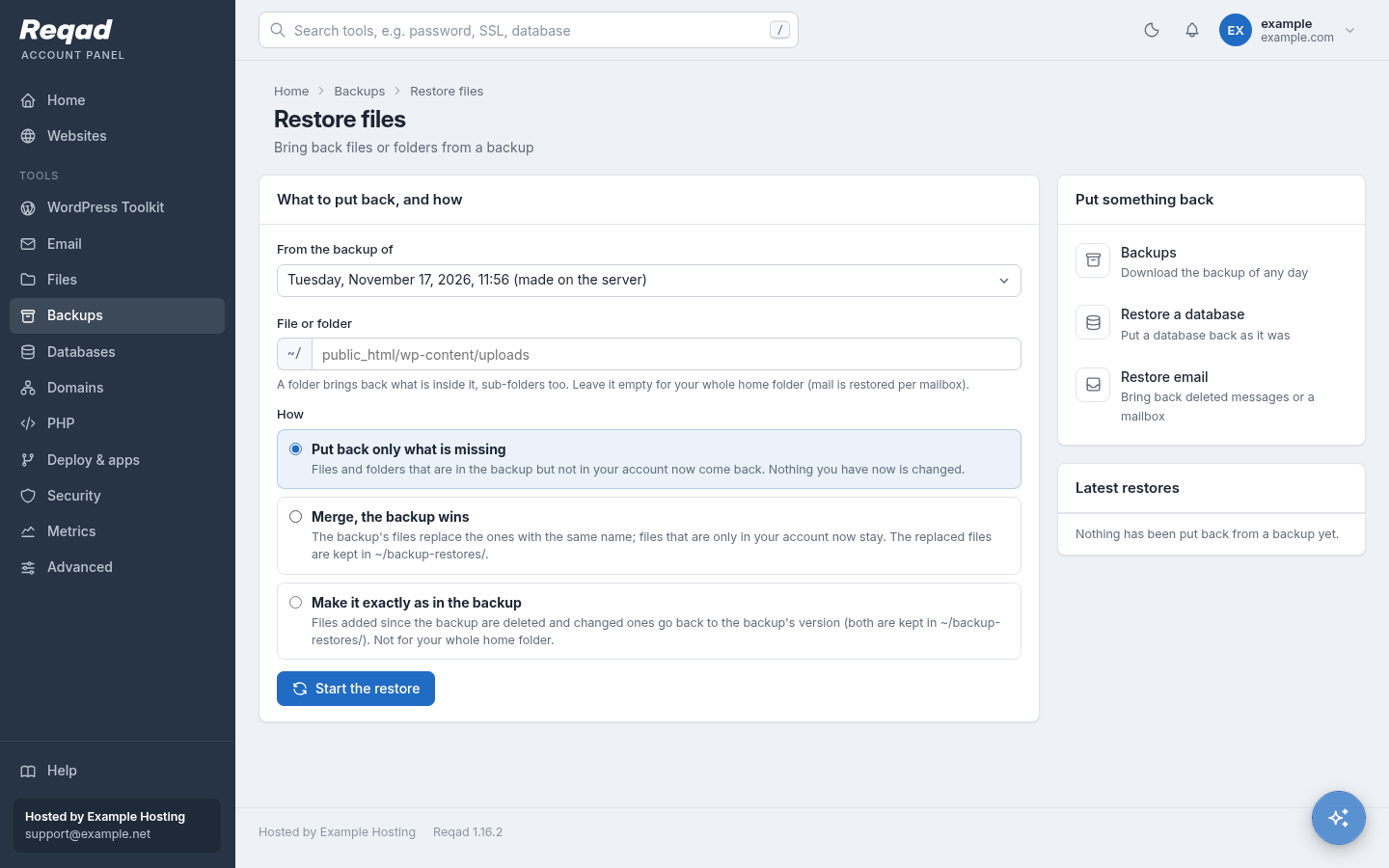
The host's nightly backups, ready to use: download one, or put back a folder, a database or a mailbox without asking for help. Most cPanel hosts add JetBackup, a paid add-on, so it takes the last column here.
| Feature | Reqad Account Panel | cPanel | cPanel + JetBackup |
|---|---|---|---|
| Download a backup Same | The nightly backups the host keeps, as .tar.gz. | Backup: download a full or partial backup. | Download a whole backup or part of it. |
| Put back files Better | A file or folder from any backup: only what is missing, merge, or exactly as it was; replaced files are kept in ~/backup-restores. Done as the account, never as root. | Upload a home folder archive; File and Directory Restoration where the host turns it on. | Choose files and folders from a backup; the restore waits in a queue. |
| Put back a database Better | Its tables, the whole database, or as a new database; the current one is saved first. | Upload a database dump. | Restore a database, and database users. |
| Put back a mailbox Better | Missing messages or the whole mailbox; a deleted mailbox comes back with its old password. | Through the home folder archive. | Restore email accounts with their mail. |
| Put back other parts Not yet | Not yet from the account panel: cron jobs, DNS zones, certificates and FTP accounts are put back by the host. | Upload backups of forwarders and filters. | Cron jobs, DNS zones, certificates, FTP accounts, or the whole account. More than Reqad |
| Back up now Left out | Left out: backups are the host's nightly ones, so they never fill your disk space. | Generate a full backup, Backup Wizard. | Backups on the host's schedule, incremental, usually on other servers. |
| Cost Same | Included with the Account Panel. | Included with cPanel. | A separate licence per server. |
Metrics
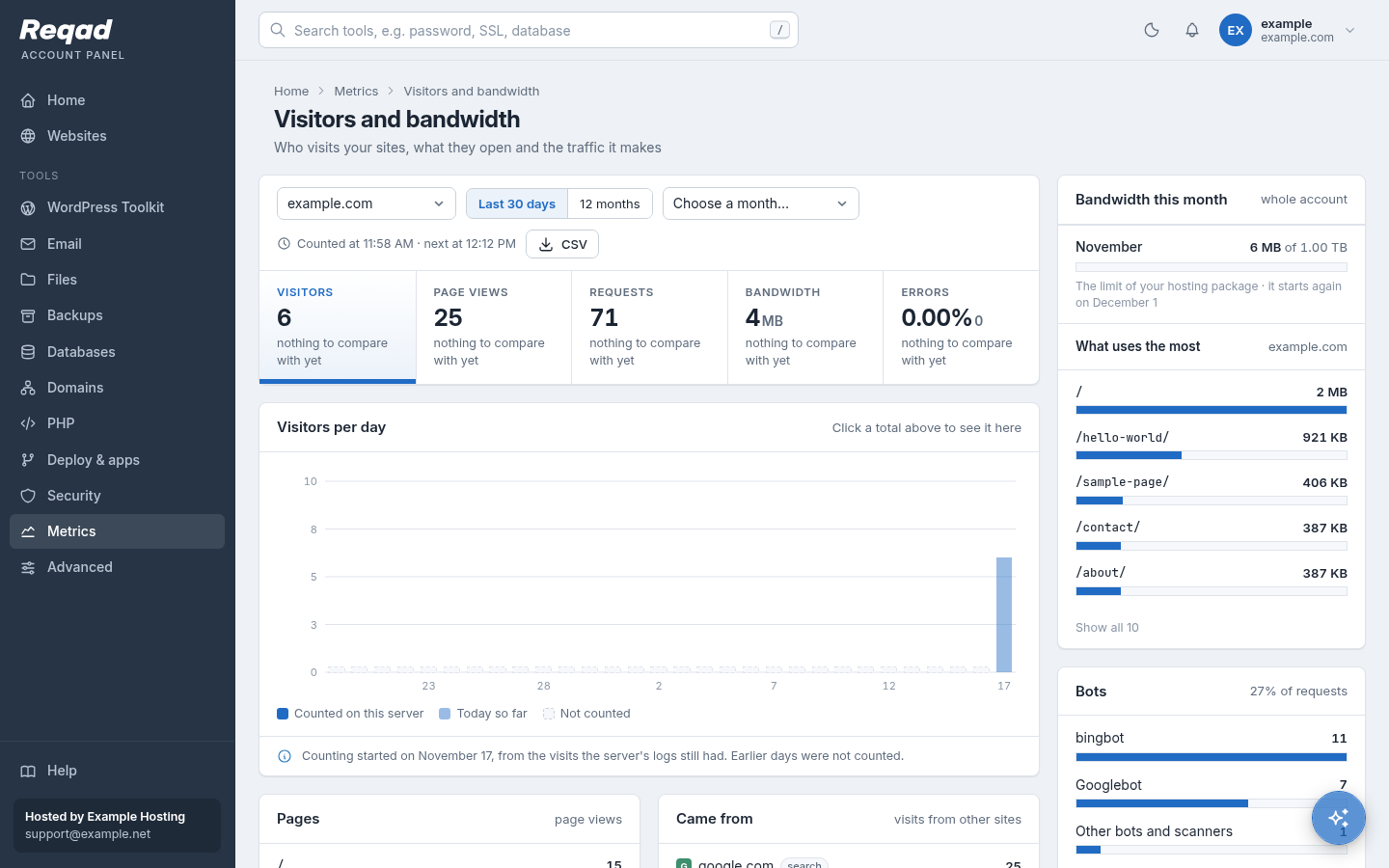
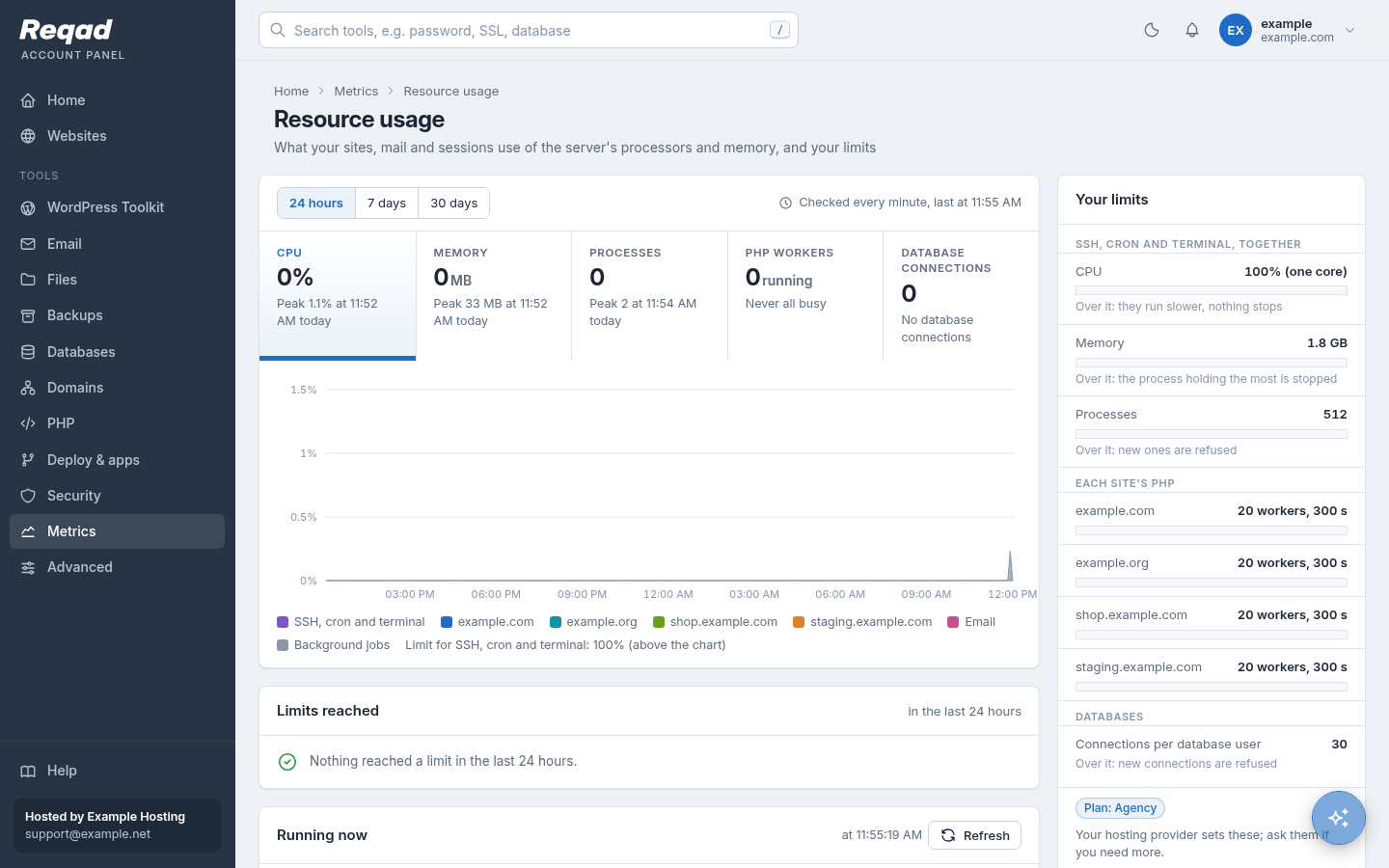
Visitor statistics, logs and resource usage are counted by the panel itself - no AWStats or Webalizer, and no visitor addresses kept.
| Feature | Reqad Account Panel | cPanel | cPanel + CloudLinux |
|---|---|---|---|
| Visitors Better | Per day and month: visitors, page views, bandwidth, top pages, referrers, countries, bots and missing pages. No visitor IP address is kept. | Visitors (the last hits), AWStats and Webalizer. | as cPanel |
| Logs Better | One day of a site's web server log at a time, with filters, a live view, grouped errors and download. | Raw Access (download) and Errors (the last 300 lines). | as cPanel |
| Bandwidth Same | Per month, against the package. | Bandwidth. | as cPanel |
| Resource usage Better | CPU, memory and processes of each site's PHP, mail, SSH / cron sessions and database connections; the limits reached; stop a process. | Not built in. | Resource Usage (LVE): CPU, memory, IO, entry processes and faults. |
| Slow page tracing Not yet | Not yet. | Not built in. | X-Ray (paid). More than Reqad |
Developers: Git, apps and cron
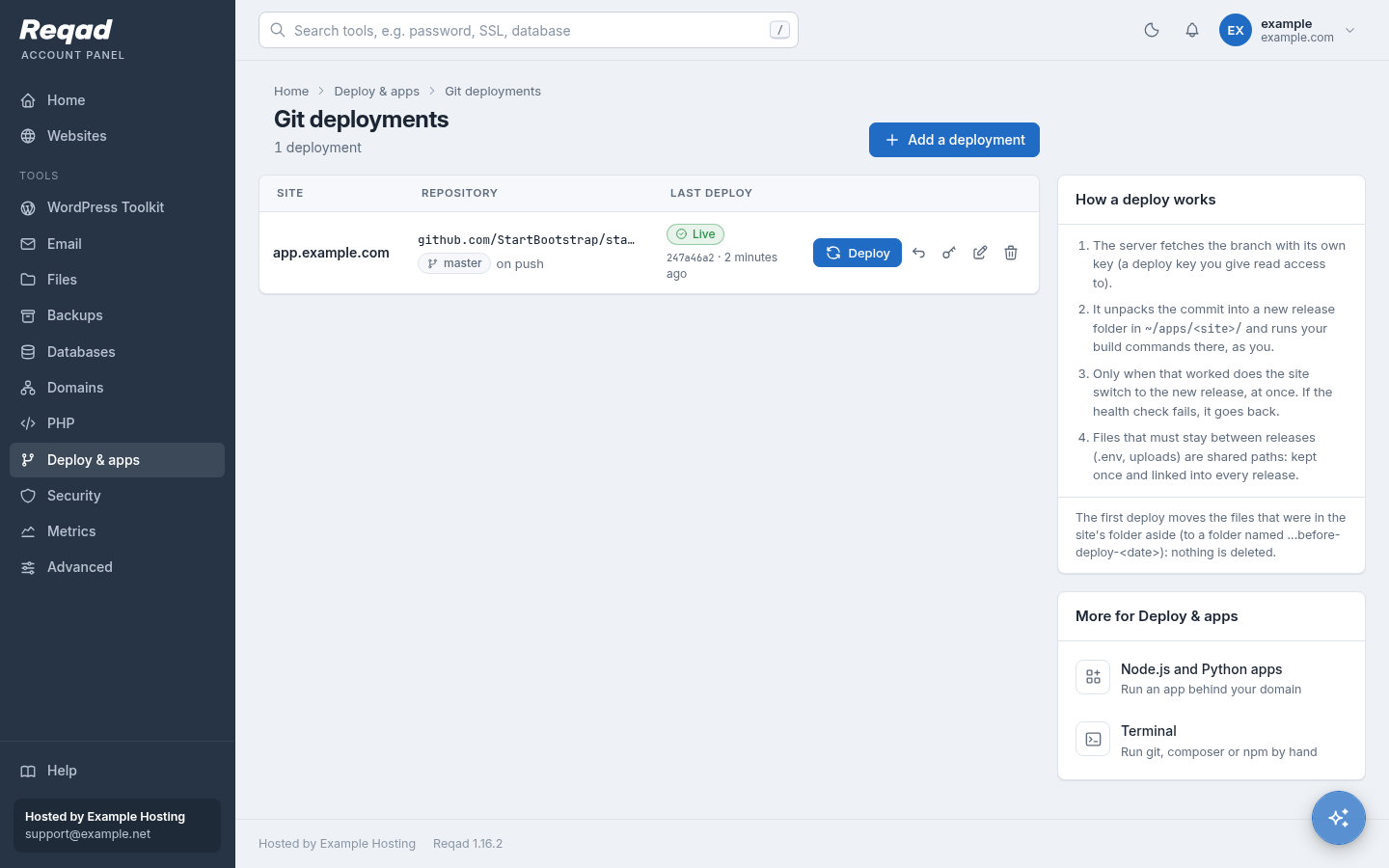
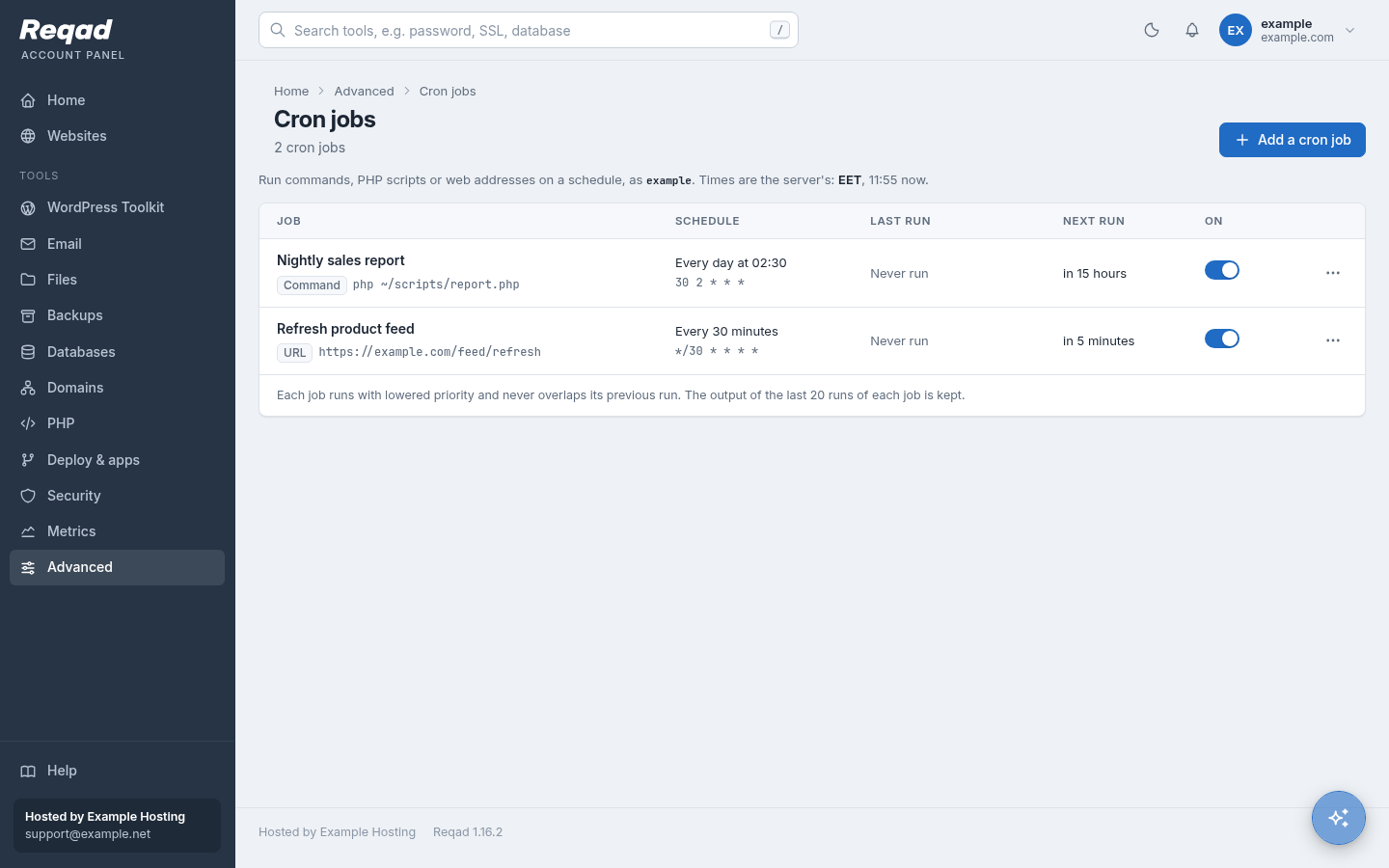
Deploy from Git with releases you can roll back, run Node.js and Python apps, and cron jobs you can read.
| Feature | Reqad Account Panel | cPanel | cPanel + CloudLinux |
|---|---|---|---|
| Git deployments Better | Deploy key, deploy on push, build commands, releases, a health check after the switch and one-click rollback. | Git Version Control, with deployment from a .cpanel.yml file. | as cPanel |
| Node.js and Python apps Same | One service per app, its start command found in the code, install packages, environment variables, logs. | Application Manager. | Node.js and Python selectors. |
| Cron jobs Better | Named jobs: a command, a PHP script or a web address; pause, run now, the output of the last runs, a mail after 3 failures. | Cron Jobs (output by mail). | as cPanel |
| Ruby apps Not yet | Not offered. | Application Manager. | Ruby selector. |
| App installer (Joomla, Drupal...) Not yet | Not yet: WordPress only. | Softaculous, a paid add-on many hosts include. | as cPanel |
AI assistant
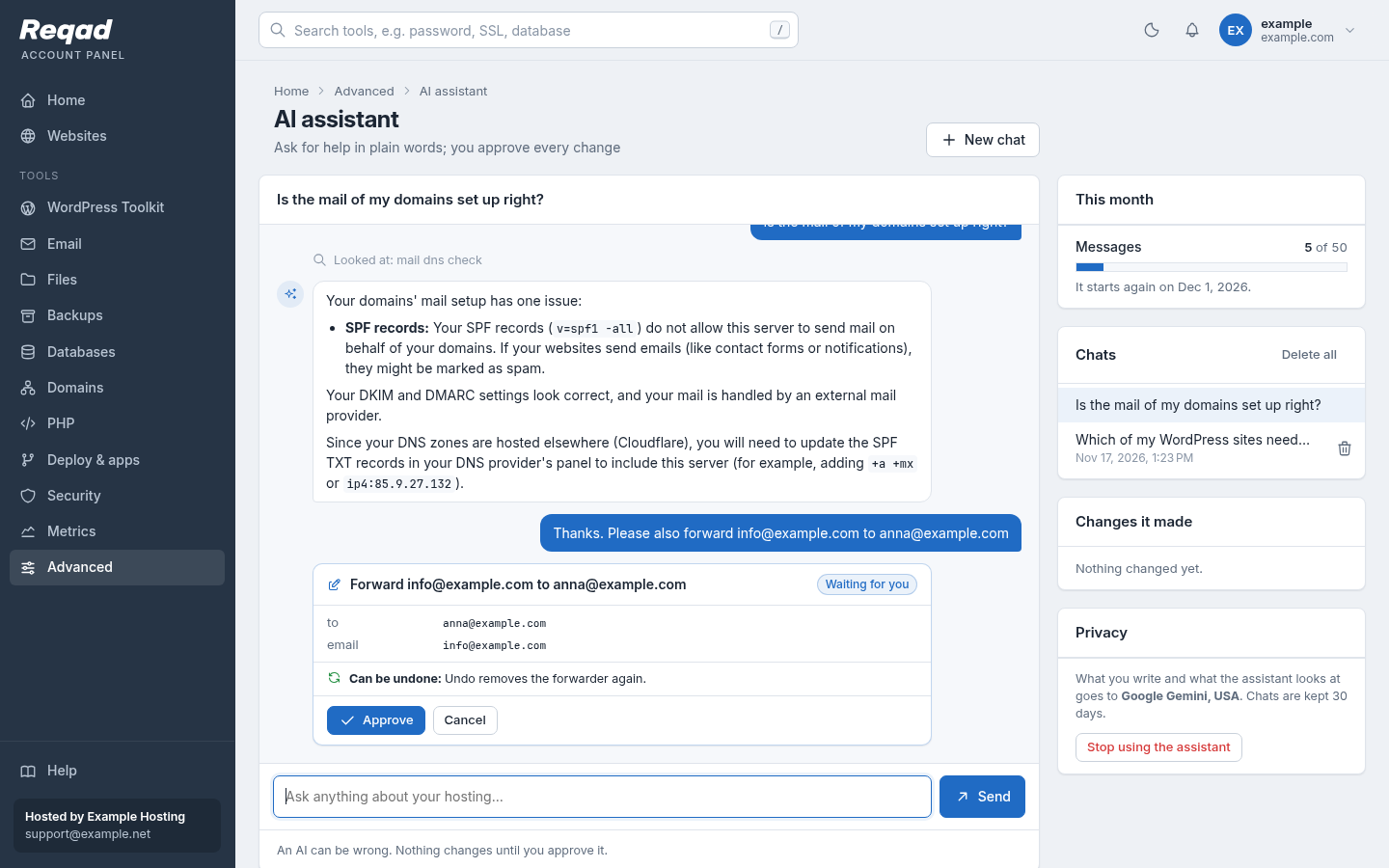
Both panels now have one. Reqad's works with any model the host chooses - even one running on the server itself - every change waits for your approval, and most can be undone.
| Feature | Reqad Account Panel | cPanel | cPanel + CloudLinux |
|---|---|---|---|
| Ask in plain words Same | Answers about the account from its own data: sites, mail and its DNS, databases, PHP, WordPress, backups. | Explains, guides and diagnoses (domains, disk, email, FTP, databases, SSL). | as cPanel |
| Changes only after you approve Same | Each change is a card saying what it does; nothing changes until you press Approve. | An "Approval required" card for each change; the host decides whether changes are allowed at all. | as cPanel |
| Undo Better | A change that can be taken back safely gets an Undo button on its card. | No undo; it does not make changes that cannot be undone. | as cPanel |
| What it can change Better | The account panel's own tools, such as mailboxes, forwarders, autoresponders, DNS records, PHP settings, WordPress installs and updates, and restores from backups. | Some low-risk tasks, such as making an email account. | as cPanel |
| Which AI model Better | Any OpenAI-compatible service the host picks, or a model on the host's own server (such as Ollama), so nothing leaves it. | cPanel's own service. | as cPanel |
| Privacy Better | The account agrees before its first chat and can delete its chats; the host sees the changes made, never the chats; passwords never reach the model. | Conversations may be kept by WebPros for quality and support. | as cPanel |
| Usage limit Same | Messages a month per account, set by the host. | Up to 100 requests a day per account. | as cPanel |
| Where it is Same | A corner button on every page, and a page of its own. | A side panel in the new Meridian theme (Jupiter, still the default theme, has none). | as cPanel |
| Off by default Same | The host turns it on and chooses the model and the monthly limit. | The host turns it on (panel.ini and Feature Manager). | as cPanel |
Limits and isolation
This is where CloudLinux earns its licence on crowded shared servers. Reqad covers the everyday needs without a second operating system licence.
| Feature | Reqad Account Panel | cPanel | cPanel + CloudLinux |
|---|---|---|---|
| Disk space Same | Disk quota per package, mailbox sizes per package. | Disk quota per package, mailbox quotas. | Also inode (file count) limits in LVE. More than Reqad |
| Monthly bandwidth Better | Per package: warn, slow the sites down, or suspend. | Per package: suspend when over. | as cPanel |
| Sending limit Same | Messages an hour per domain, set for the server; a limit per package is planned. | Maximum emails per hour per domain or account. | as cPanel |
| CPU, memory, processes Better | SSH, cron and terminal sessions share one limit per account (Linux cgroups); each site's PHP has its own number of workers; database connections per user. | No CPU or memory limit per account. | LVE: CPU, memory, processes and entry processes for everything the account runs. More than Reqad |
| Disk read/write speed Not yet | Not yet (one limit per account for everything is planned on EL9). | None. | LVE IO and IOPS limits. More than Reqad |
| Database load per account Not yet | Connections per database user only. | None. | MySQL Governor: CPU and IO per account, slows down the heavy ones. More than Reqad |
| Filesystem isolation Same | Own Linux user, homes closed to other accounts, open_basedir, links only to the account's own files, jailed shell that sees only the home folder. | Own user, jailed shell, symlink protection. | CageFS: every account gets its own virtual filesystem; others' files and most of the system are not even visible. More than Reqad |
On a server with hundreds of unrelated customers, where one account must never slow the others down and nobody may even see who else is there, LVE and CageFS give guarantees Reqad does not have yet. For agencies, developers and hosts who know their customers, the limits above are usually enough.
Security
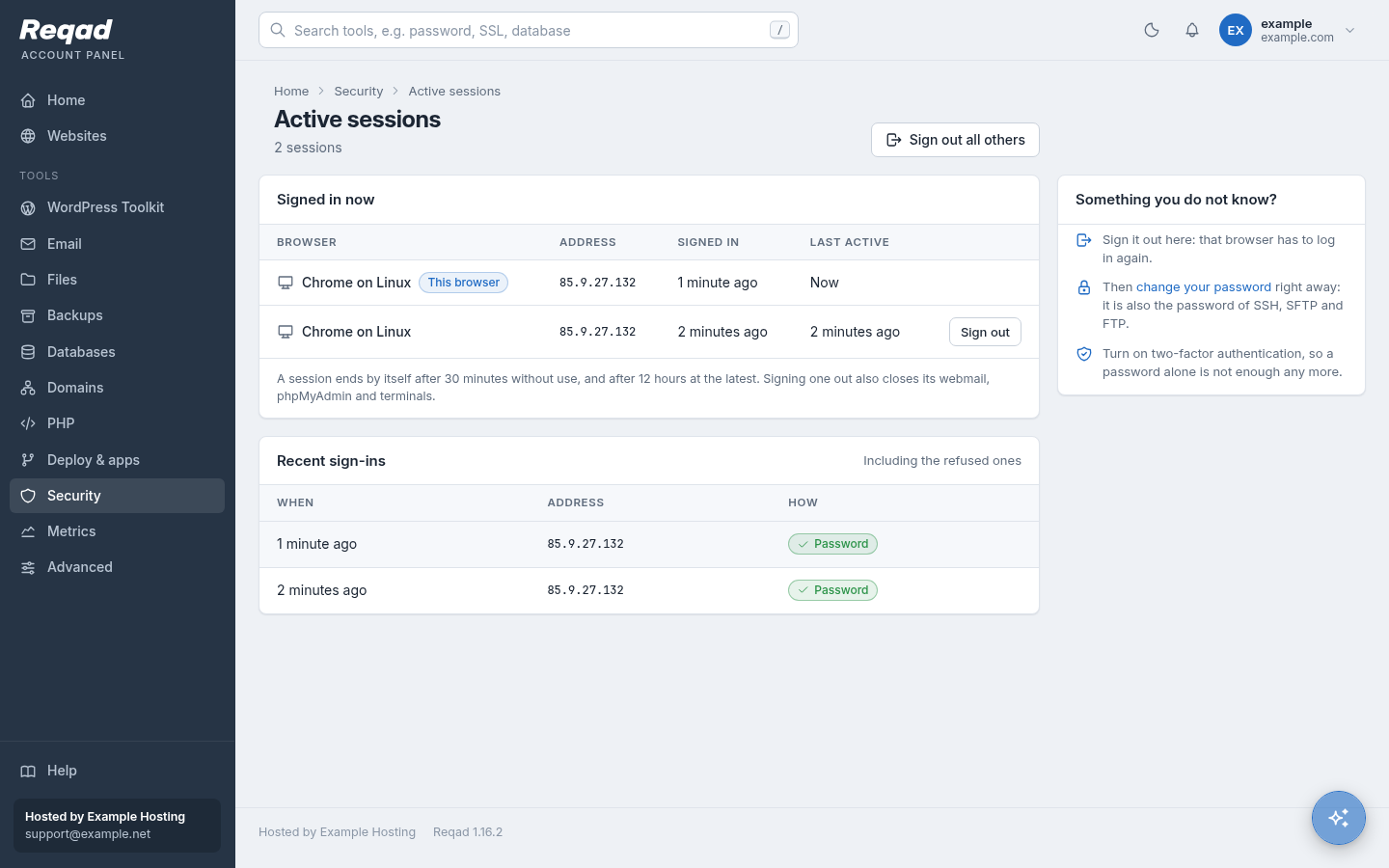
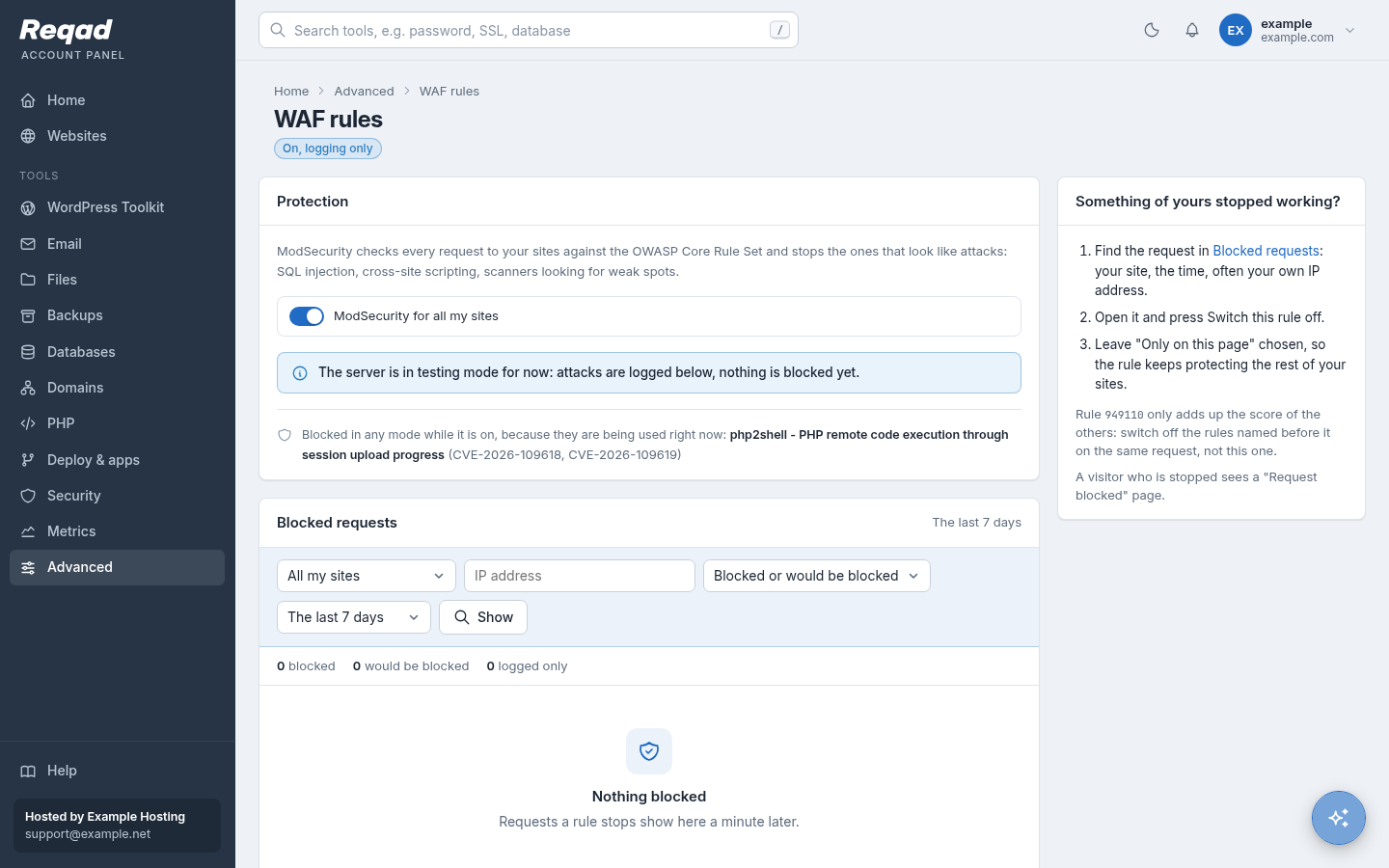
The panel is built so that a mistake in it cannot become root: it runs as an ordinary user and asks for every change.
| Feature | Reqad Account Panel | cPanel | cPanel + CloudLinux |
|---|---|---|---|
| How the panel runs Better | As its own unprivileged user, in a sandbox that cannot read the server's files or any home folder. Every action is a request to a small root service that first checks that the site, mailbox or file belongs to the account. | cpsrvd runs as root and switches to the account for its pages; privileged steps go through admin binaries. | as cPanel |
| Changes in the home folder Same | Always made as the account, never as root (a swapped link cannot lead root elsewhere). | File operations as the account. | as cPanel |
| Sessions and new devices Better | The signed-in browsers and recent sign-ins with sign-out for each; a mail when a new browser signs in. | No list of signed-in browsers. | as cPanel |
| Brute-force protection Same | Wrong passwords block the address for a while, then the firewall (csf) blocks it. | cPHulk. | as cPanel |
| phpMyAdmin Better | A database login made for one visit, dropped at sign-out; never the account's password. | Signed in with the account session. | as cPanel |
| Web application firewall Better | ModSecurity with the OWASP Core Rule Set (add-on): on or off per account, the list of blocked requests, a rule switched off for one page. | ModSecurity on or off per domain. | as cPanel |
| Malware scan Same | ImunifyAV (add-on): the account sees what was found in its files. | ImunifyAV or Imunify360 (paid); ClamAV Virus Scanner. | as cPanel |
| Webmail on its own port Same | 2096, so the server panel can be closed to everyone but the host. | 2096. | as cPanel |
| CGI and Perl scripts Left out | Left out: only PHP-FPM and app services, a smaller target. | cgi-bin, Perl modules, Apache Handlers. | as cPanel |
| IP Blocker Same | Block an address or a range from the account's sites. | IP Blocker. | as cPanel |
Left out on purpose
Fewer tools means fewer things to keep patched, fewer ways in and a shorter menu. This is what we did not bring over, and what to use instead.
| cPanel feature | Why it is not in Reqad | Use instead |
|---|---|---|
| CGI scripts, cgi-bin, Perl modules | A new process per request, an old way in for attackers, and almost never used by today's sites. | PHP, or a Node.js / Python app. |
| Apache Handlers, MIME Types | Sites are served by nginx; Apache is optional and set up by the panel. | The standard types are built in. |
| Indexes, Error Pages, Optimize Website | Folder listings are off, error pages are the panel's own, and nginx compresses responses already. | Your site's own 404 page. |
| Hotlink and Leech Protection | Rarely used, easy to get wrong. | A CDN, or the web application firewall. |
| Web Disk | WebDAV adds another way in with the account's password. | SFTP, FTP with TLS, the file manager. |
| Images | Better done before the upload, or by WordPress. | Your computer or WordPress. |
| BoxTrapper, Mailing lists, Encryption | Challenge mails annoy senders and are often sent to forged addresses; lists need their own service. | Spam filters; a mailing list service; your mail app. |
| Site Publisher, Sitejet Builder | Out of scope. | WordPress. |
| Backup Wizard, Generate a full backup | Backups on the account's own disk space fill its quota. | The host's nightly backups. |
| Default address (catch-all) | It collects the spam sent to made-up addresses, and answering it sends backscatter. | Mailboxes or forwarders for the addresses really used; for a domain that needs one, a custom Exim filter set by the host. |
| PostgreSQL | One database server to keep fast, patched and backed up. | MySQL / MariaDB. |
| Certificates you bought, in the account panel | Keys and certificates are the host's to install. | The host installs them from the server panel (port 2087); free Let's Encrypt certificates stay in the account panel. |
| MySQL privilege grid | Half-granted users break sites in ways that are hard to find. | All privileges on a database, or none. |
Still missing
What a cPanel user may look for and not find yet. Several are on the roadmap; tell us what you need first.
- Disk read/write speed - Not yet (one limit per account for everything is planned on EL9).
- Database load per account - Connections per database user only.
- Extra users (team access) - Not yet: one sign-in per account.
- API tokens page - Not yet in the panel: account API tokens are made by the host.
- Known-vulnerable plugins list - Not yet in the panel: the companion app WP Monitor checks WordPress core, plugins and themes for known vulnerabilities today, and will be built into the Account Panel.
- Plugin sets, bulk actions on many sites - Not yet.
- Calendars and contacts - Not yet (on a transfer, contacts are copied into the webmail address book).
- Import addresses from a file - Not yet.
- Dynamic DNS - Not yet.
- Put back other parts - Not yet from the account panel: cron jobs, DNS zones, certificates and FTP accounts are put back by the host.
- Slow page tracing - Not yet.
- Ruby apps - Not offered.
- App installer (Joomla, Drupal...) - Not yet: WordPress only.
Moving from cPanel?
The Transfer Tool moves whole accounts - sites, mail, databases, cron jobs, certificates, passwords - from a cPanel server in one background job, without touching the old server or DNS.