Open your inbox
Roundcube webmail, one click from Webmail Home.
- Read, write and sort mail in the browser
- Roundcube's menu has a Webmail Home button that brings you back
- Or tick "Open my inbox when I log in" and go straight to the inbox
Webmail Home Premium
Webmail Home gives the people who use your mailboxes a page of their own at https://your-server:2096/. They sign in with their email address and mailbox password, open their inbox, and look after their own autoresponder, forwarding, filters and password - without a hosting panel.
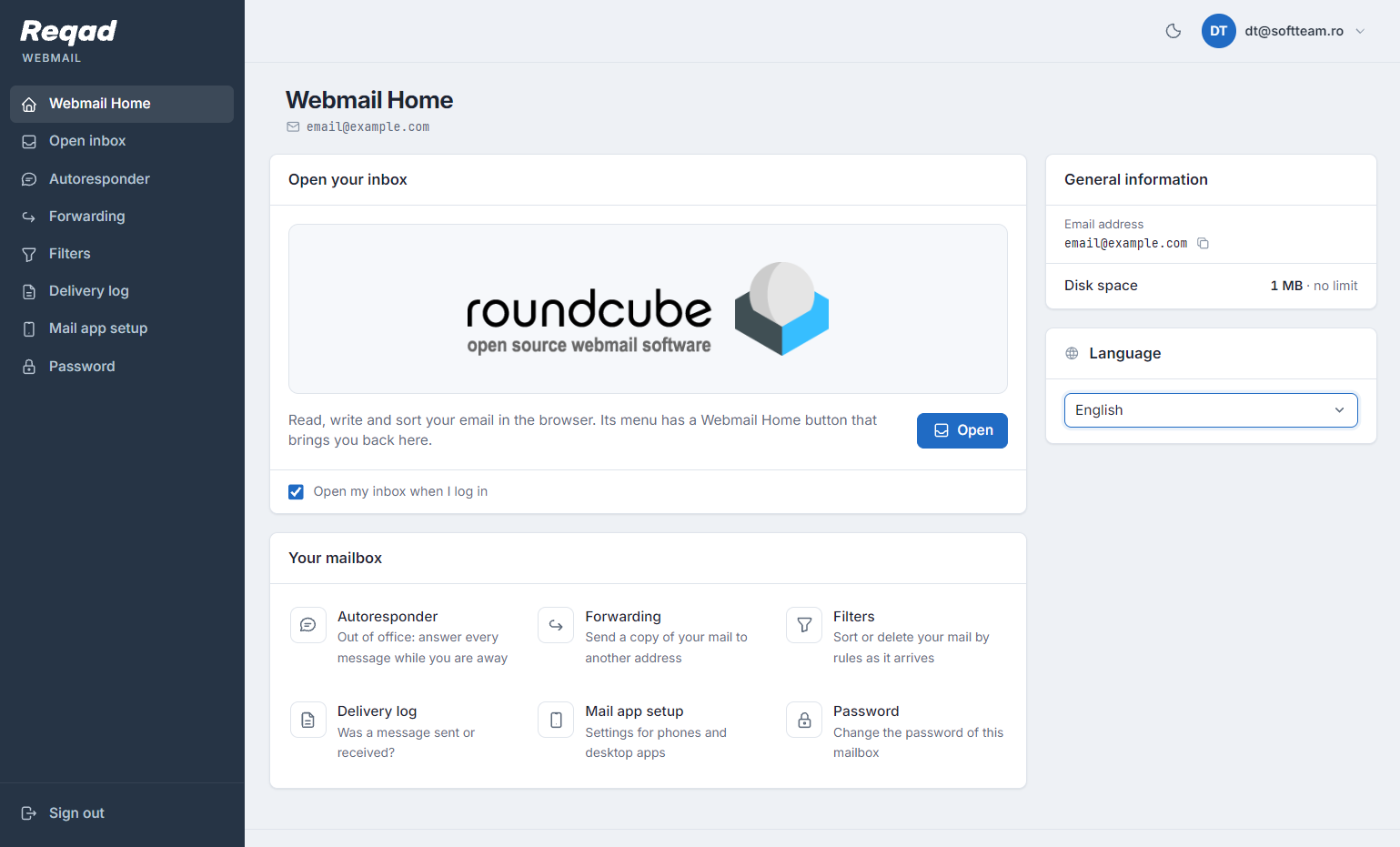
What mailbox owners get
Everything on one page, on a laptop or a phone. A mailbox owner sees only their own address - never another mailbox, the account's websites or the server.
Roundcube webmail, one click from Webmail Home.
Out of office, set up by the mailbox owner.
Send a copy of your mail to another address.
Sort or delete your mail by rules as it arrives.
Was a message sent or received?
Settings for phones and desktop apps.
Change the password of this mailbox.
The mailbox at a glance.
For you, the host
Give your customers' staff one address for their mail. You keep the server panel to yourself.
Webmail Home answers at https://your-server:2096/, webmail's own port. Only webmail is served there, not the panel, and every site's /webmail address points to it.
Mailbox owners never need the server panel's port 2087, so you can lock the panel to your own addresses and they keep reading their mail.
At most 3 failed logins a minute per mailbox, login requests limited per IP, and the firewall blocks an address after 10 failed logins.
Each webmail sign-in, successful or failed, is written down with the visitor's address and kept for 8 weeks.
Out-of-office replies, forwarding, filters and password changes are done by the people who own the mailbox, not by you.
Webmail Home comes with the Account Panel. Install reqad-account and it is ready on port 2096 for every mailbox on the server.
The account owner manages every mailbox of the account from the Account Panel on port 2083; each mailbox owner manages their own from Webmail Home on port 2096. Roundcube webmail itself is in the free, open-source version too - see Which version to choose?
Webmail Home is included in the Premium subscription, with the Account Panel.